

OpenCode
OpenCode's coding agent Web UI, served from the local runtime.
App Store
Apps filtered by type
OpenCode's coding agent Web UI, served from the local runtime.

Agent company control plane for orchestrating goals, org charts, budgets, tickets, and heartbeats across multiple AI workers.
Web interface for Claude Code CLI, running inside your computer for browser-based coding workflows.
Agentless infrastructure monitoring with SSH collection, live dashboards, incidents, and alerts.

Web-based notebook and data workspace for interactive computing.

AI-first open-source business intelligence for dbt-powered metrics, dashboards, exploration, and team reporting.

Open-source business intelligence for dashboards, ad hoc queries, models, and team analytics.
Enterprise-ready open-source business intelligence with SQL Lab, dashboards, semantic datasets, alerts, and scheduled reports.
Open-source project management platform for issues, cycles, roadmaps, pages, and team collaboration.

Open-source LLM engineering platform for tracing, evaluation, prompt management, and observability.

Open-source identity and access management for organizations, SSO, OAuth, OIDC, SAML, passkeys, and user lifecycle.
Open-source extensible no-code platform for internal tools, workflows, and data apps.

Open-source product analytics with event capture, feature flags, session replay, experiments, and warehouse-backed product insights.

Open-source data platform that turns SQL data into APIs, admin apps, and workflows.

Open-source team workspace with project management, chat, docs, CRM, and collaborative business apps built on the Huly platform.

Open-source no-code database for tables, forms, automation, and internal collaboration.

Open-source backend stack with Postgres, auth, REST API, realtime, storage, edge functions, Studio, and connection pooling.
Open-source identity and access management for SSO, OIDC, SAML, and user federation.
In-memory data store for cache, queues, pubsub, and application state.

Community-driven Redis-compatible in-memory data store for cache, queues, and realtime state.

Column-oriented OLAP database for fast analytics, event pipelines, and large-scale aggregation.
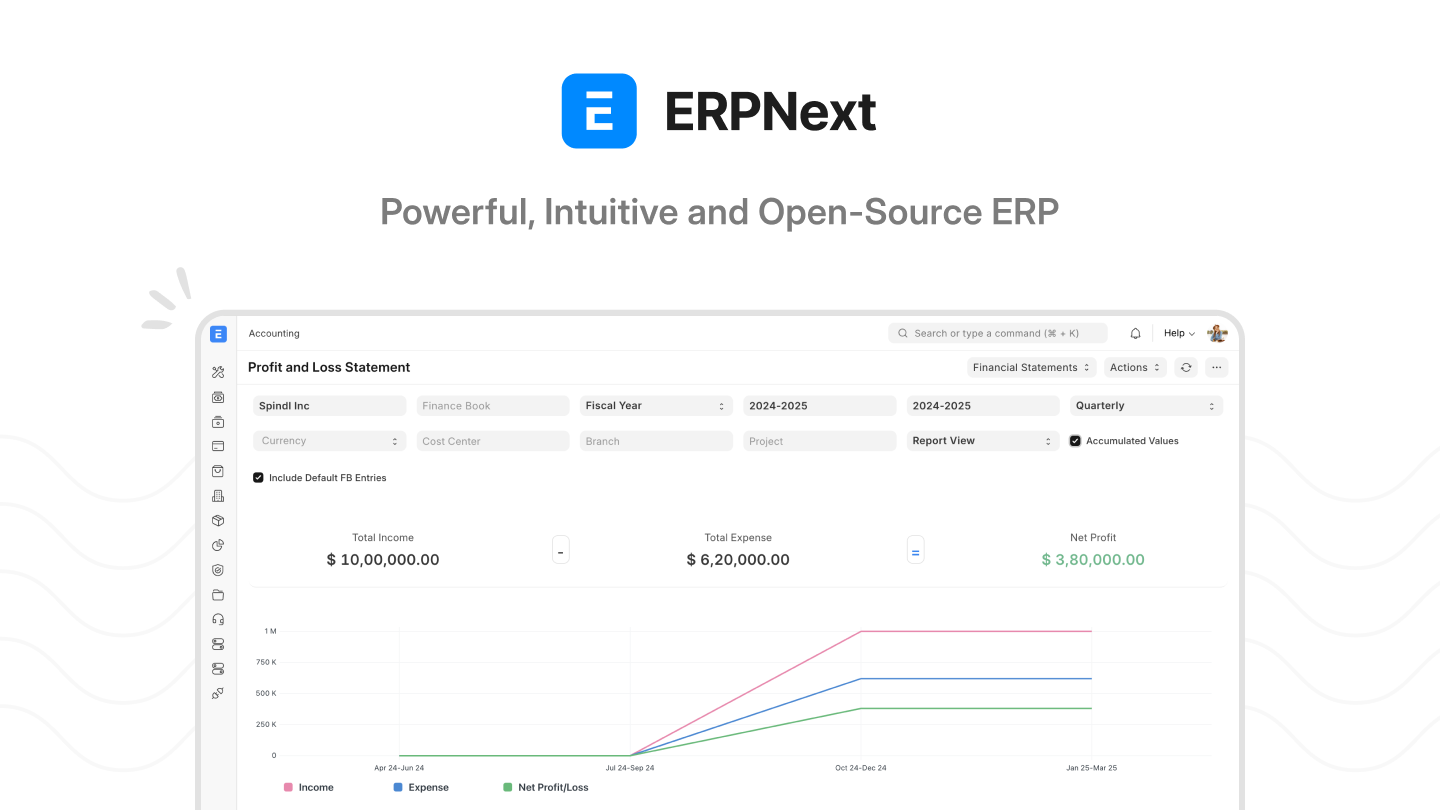
Open-source ERP suite for accounting, CRM, inventory, HR, manufacturing, and business operations.

Open-source low-code builder for internal tools, dashboards, admin panels, and workflows.

Open-source Trello-style kanban system for boards, tasks, teams, and lightweight project management.

Self-hosted wiki and documentation platform for team knowledge bases, manuals, and internal docs.

Open-source customer support inbox for live chat, email, social messaging, and team collaboration.
Open-source survey and feedback platform for product research, in-app forms, and user insights.

Lightweight CalDAV and CardDAV server for calendars, contacts, and personal sync.

Open-source project management platform for roadmaps, work packages, time tracking, and collaboration.

Web-based Linux server management interface.
Container-local CasaOS runtime with isolated Docker data per computer.

2FAuth is a web based self-hosted alternative to One Time Passcode (OTP) generators like Google Authenticator, designed for both mobile and desktop.
Actual Budget is a fast, privacy-focused finance management app using local-first envelope budgeting, ensuring full control over data. Its intuitive interface supports offline use, with multi-device sync and optional end-to-end encryption, delivering a secure, efficient financial management experience, ideal for users seeking clear financial oversight. The app's core features include envelope budgeting based on real income, rapid transaction handling, and intuitive financial reporting. It helps users track spending and monitor monthly savings clearly, with a streamlined transaction editor for quick categorization, split transactions, and transfers. Built-in net worth and cash flow reports provide financial insights, and a custom report engine allows tailored reports for specific needs. Undo and redo functionality ensures users can easily correct mistakes, maintaining operational flexibility. It integrates bank accounts via goCardless (EU/UK) or SimpleFIN (US/Canada), supports multi-device syncing for data privacy, and enables importing transaction data from YNAB4, nYNAB, and QIF, OFX, QFX, CAMT.053, CSV files, simplifying migration of existing financial records. Community documentation enhances usability, and the app's simple operation and high flexibility deliver a modern finance management solution. **Key Features:** - Privacy-focused personal finance management - Envelope budgeting methodology - Multi-device synchronization - End-to-end encryption support - Local data ownership - Fast and responsive interface - Open source and self-hosted - Bank account synchronization - Detailed financial reporting - Budget tracking and analysis **Learn More:** - [Actual Budget Official Website](https://actualbudget.org) - [Actual Budget GitHub Repository](https://github.com/actualbudget/actual) - [Actual Budget Docker Image](https://hub.docker.com/r/actualbudget/actual-server)

Difference from Traditional Ad Blockers. Unlike traditional ad-blocking plugins that work only on individual devices, AdGuard Home offers a network-wide solution. By setting it up, you can block ads and trackers across all your home devices without needing to install any additional software on each device. This means comprehensive protection with minimal effort. How AdGuard Home Works and How to Use It. AdGuard Home functions as a DNS server that reroutes tracking domains to a "black hole," effectively preventing your devices from connecting to these servers. This blocks ads and trackers not only on your computer but also on your smartphone and smart home devices. To start using AdGuard Home, deploy it on your device, then change the DNS address assigned by DHCP on your router to the IP address of your AdGuard Home server. Benefits of Deploying AdGuard Home on Zima Private Cloud. Deploying AdGuard Home on a Zima device simplifies network-wide ad and tracker blocking, providing a seamless and secure browsing experience for all your home devices. With Zima, you gain the flexibility to monitor network activity and create custom filtering rules tailored to your needs.

Adminer (formerly phpMinAdmin) is a full-featured database management tool written in PHP. Conversely to phpMyAdmin, it consist of a single file ready to deploy to the target server. Adminer is available for MySQL, PostgreSQL, SQLite, MS SQL, Oracle, Firebird, SimpleDB, Elasticsearch and MongoDB.

Alby Hub is an open-source, self-custodial Bitcoin Lightning wallet, with the easiest-to-use Lightning Network node for everyone. Whether you're an individual, creator, or developer, Alby Hub is your centre for seamless Bitcoin payments. Effortlessly connect to a variety of apps like the Alby Browser Extension or Alby Go mobile app, create sub-wallets for family and friends, and take full control of your funds—all within an intuitive interface and developer-ready APIs. **USEFUL LINKS** - [Source Repository](https://github.com/getAlby/hub) - [Support](https://support.getalby.com/) - [Marketing Site](https://albyhub.com/) - [Community of users and developers](https://discord.getalby.com) - [Feedback Board, feature requests, bug reports[(https://feedback.getalby.com)
Alist transforms how you manage and access your files at home, whether on your TV, phone, or any other device. Unlike traditional cloud storage, Alist offers a unified experience across multiple platforms, making it a breeze to keep your media and documents at your fingertips. With features like easy installation, support for multiple storage providers (local, Aliyundrive, Onedrive, Google Drive), WebDAV support, dark mode, protected routes with password authentication, file previews for videos, audio, office files, PDFs, code, images, package and batch downloads, single sign-on, offline torrent downloads, file encryption, and additional tools like a text editor and Cloudflare workers proxy, Alist ensures a seamless and secure file management experience. Deploying Alist on private cloud devices like Zima brings unmatched convenience with multi-device access, ensuring your files are always within reach and secure, no matter where you are.
Alist-Sync is a storage synchronization tool based on the Web interface. It can achieve data synchronization and mutual backup among multiple network disks, and also has practical functions such as multi-task management, scheduled synchronization and difference handling.

ArchiveBox is a powerful, self-hosted internet archiving solution that allows you to create your own personal archive of web pages, PDFs, videos, and more. It functions as a personal internet archive, saving content in multiple formats for long-term preservation. The system consists of multiple components: - **ArchiveBox**: The main application providing the web interface and archiving capabilities - **Sonic**: A fast search backend for full-text search across archived content - **ArchiveBox Scheduler**: A background service for scheduled archiving tasks - **NoVNC**: A web-based VNC client for browser-based archiving **Key Features:** - Save web pages in multiple formats (HTML, PDF, screenshots, etc.) - Full-text search across all archived content - Scheduled archiving of websites and RSS feeds - Browser-based archiving with NoVNC - User authentication and access control - Extract and save media files (videos, audio, PDFs, etc.) **Learn More:** - [ArchiveBox Official Website](https://archivebox.io) - [ArchiveBox GitHub Repository](https://github.com/ArchiveBox/ArchiveBox) - [ArchiveBox Documentation](https://github.com/ArchiveBox/ArchiveBox/wiki)

Audiobookshelf is a self-hosted media server designed for managing and streaming audiobooks, podcasts, and e-books, offering a secure and flexible solution for personal media libraries. Its lightweight architecture and intuitive Web interface (available as a Progressive Web App, PWA) enable seamless access from any browser, while beta Android and iOS apps support offline listening, catering to privacy-focused media enthusiasts. The app supports on-the-fly streaming of all audio formats and provides robust management tools, including automatic metadata and cover art fetching from multiple sources, bulk drag-and-drop uploads for books and podcasts, and chapter editing with lookup via the Audnexus API. Users can search and subscribe to podcasts with auto-downloading episodes or manage content via open RSS feeds. It supports multi-user access with custom permissions, ensuring individual playback progress syncs across devices. Additionally, it offers audio tools (like merging files into m4b or embedding metadata) and experimental e-book support (epub, pdf, cbr, cbz), with the ability to send e-books to devices like Kindle. It automatically detects library updates, eliminating manual rescans, and includes daily automated backups to safeguard metadata. Chromecast support (on Web and Android apps) enhances streaming capabilities, while an active community provides support documentation for continuous improvements. Whether for personal collections or family sharing, the app's intuitive interface and versatile features deliver a modern media management platform, meeting diverse needs. **Key Features:** - Multi-user support w/ custom permissions - Keeps progress per user and syncs across devices - Lookup and apply metadata and cover art from several providers - Audiobook chapter editor w/ chapter lookup - Audiobook tools: Embed metadata in audio files & merge multiple audio files to a single m4b - Search and add podcasts to download episodes w/ auto-download - Open RSS feeds for audiobooks and podcast episodes - Backups with automated backup scheduling - Basic ebook support and ereader (epub, pdf, cbr, cbz) + send to device (i.e. Kindle) **Learn More:** - [Audiobookshelf Official Website](https://audiobookshelf.org) - [Audiobookshelf GitHub Repository](https://github.com/advplyr/audiobookshelf)

Beaver Habit Tracker is a self-hosted habit tracking tool designed for users who want to effortlessly monitor daily behaviors without the stress of goal-setting. Its intuitive Web interface offers a pressure-free tracking experience, ideal for those focused on behavior observation and personal growth. The tool's core features include goal-free habit tracking and a minimalist interface. It allows users to log multiple habits easily, without focusing on streaks or targets, and provides simple visualizations to understand behavior patterns. Users can add daily notes to record specific activities or reflections, with a smooth, low-effort interface. It uses a self-hosted approach, ensuring data privacy and full control, with a lightweight, efficient design requiring minimal server resources. Users can manually reorder habits for an optimized experience. The tool's stress-free observation and intuitive operation help users gradually improve habits, delivering a modern habit management solution. **Key Features:** - Goal-free habit tracking focused on awareness, not achievement - Clean, minimalist interface for effortless daily logging - Lightweight and efficient, requiring minimal server resources - Simple visualizations to understand behavior patterns - Daily notes for recording activities or reflections **Learn More:** - [Beaver Habit Tracker Official Website](https://beaverhabits.com/) - [Beaver Habit Tracker GitHub](https://github.com/daya0576/beaverhabits)
Chatbot UI is an open source chat UI for AI models.

An intelligent chat application based on ChatGPT, supports fast deployment, Markdown, beautiful UI, fluid response, privacy and security, and allows customization of preset roles for quick creation, sharing, and debugging of personalized conversations.

CloudBeaver is a web-based database GUI tool which provides rich web interface. You can use it to manage PostgreSQL, MySQL, MariaDB, SQL Server, Oracle, DB2, Firebird, H2, Trino.

Crafty is an open source Minecraft control panel built using Tornado and AdminLTE, featuring server scheduling, a interactive console and the ability to run almost any type of Minecraft server
A simple and easy-to-use DDNS tool. Automatically updates domain name resolution to your public IP (supports Alibaba Cloud, Tencent Cloud, Dnspod, Cloudflare, Callback, Huawei Cloud, Baidu Cloud, Porkbun, GoDaddy, and Google Domain). Deploy DDNS-go on Zima, and you can bind the public IP of your Zima device to your domain name. This way, you can access your Zima device via the domain name while you are away.

Program to keep DNS A and/or AAAA records updated for multiple DNS providers
Deluge contains the common features to BitTorrent clients such as Protocol Encryption, DHT, Local Peer Discovery (LSD), Peer Exchange (PEX), UPnP, NAT-PMP, Proxy support, Web seeds, global and per-torrent speed limits. As Deluge heavily utilises the libtorrent library it has a comprehensive list of the features provided.

Dify is an open-source large language model (LLM) application development platform. It combines the concepts of Backend-as-a-Service and LLMOps to enable developers to quickly build production-grade generative AI applications. Even non-technical personnel can participate in the definition and data operations of AI applications.

duckdns is a DDNS (Dynamic DNS) application that dynamically binds IP addresses to domain names, supporting both IPv4 and IPv6.

EmbyStat is a personal web server that can calculate all kinds of statistics from your (local) Emby or Jellyfin server. Just install this on your server and let him calculate all kinds of fun stuff. This project is still in Alpha phase, but feel free to pull in on your computer and test it out yourself. When the time is right I will host a full informational website/release for common platforms and Wiki pages.
ESPHome is a system to control your microcontrollers by simple yet powerful configuration files and control them remotely through Home Automation systems.

FileDrop is a self-hosted file sharing service that allows you to easily share files with family, friends, or colleagues. It's been designed to be easy to use and light on resources.

FlareSolverr application
Flowise is a generative AI development platform for building AI agents and LLM workflows. An intuitive interface with a visual editor simplifies complex workflow design, ideal for developers creating diverse AI applications, from chatbots to data processing pipelines. Core features include visual orchestration and data integration. Support for various models, custom code, and branching, looping, and routing logic enables complex workflow creation. Connection to over 100 data sources, vector databases, and memory modules ensures flexible data ingestion. Monitoring capabilities provide execution logs and visual debugging for workflow transparency and maintenance. Self-hosted and air-gapped deployment options accommodate diverse infrastructure needs. It offers data processing with transforms, filters, aggregates, and RAG indexing pipelines. Memory optimization and planning techniques enhance performance, while MCP integration supports tool connections and authentication. Security controls include role-based access, single sign-on, and encrypted credentials for data protection. API, JavaScript and Python SDKs, and command-line interface enable extensibility, with embedded chat components and a template marketplace accelerating development. Scalability supports high-throughput workflows, and evaluation features optimize performance. With flexibility and efficiency at the core, the platform delivers a modern solution for AI development. **Key Features:** - Visual editor supporting multiple models, custom code, branching looping routing logic - Connection to over 100 data sources, vector databases, and memory modules - Execution logs and visual debugging for enhanced monitoring - Data processing with transforms, filters, aggregates, and RAG indexing pipelines - Various memory optimization technique and integrations - MCP client and server nodes for tool integration - Input moderation and output post-processing for safety - API, JavaScript and Python SDKs, and command-line interface - Customizable embedded chat components - Template marketplace and reusable components - Role-based access control, single sign-on, encrypted credentials - Vertical and horizontal scalability for high-throughput workflows - Datasets and evaluation features for workflow optimization **Learn More:** - [Flowise Official Website](https://flowiseai.com/) - [Flowise GitHub](https://github.com/flowiseai/flowise) - [Flowise Documentation](https://docs.flowiseai.com/)

A fast reverse proxy to help you expose a local server behind a NAT or firewall to your client, remote access all your casaos/zimaos apps. Use OpenIoTHub to scan the following QR code add a gateway,then add host,add casaos/zimaos host's web page port,finally, enjoy remote control

Gopeed is a modern high-speed download tool supporting HTTP, BitTorrent, and Magnet protocols, offering a beautiful interface and powerful functionality. Its lightweight design and multi-platform support make it ideal for efficient file downloading across various devices. The tool's core features include high-speed downloading and an elegant interface. It leverages Golang coroutines for concurrent downloading, supporting HTTP, HTTPS, BitTorrent, and Magnet protocols for fast, stable performance. The interface follows Material Design standards, including a dark mode, balancing aesthetics and usability. Advanced features include seeding, DHT, PEX, uTP, Webtorrent, and UPnP support, with daily automatic tracker list updates to enhance download efficiency. It provides a RESTful API for open integration, allowing users to remotely control download tasks, pause, or delete them. Decentralized extensions enable JavaScript plugins to enhance functionality, such as downloading videos or music from websites. The tool's speed, flexibility, and user-friendly design deliver a modern download solution. **Key Features:** - High-speed downloading with HTTP, BitTorrent, Magnet protocols - Seeding, DHT, PEX, uTP, Webtorrent, UPnP - Daily automatic tracker list updates - RESTful API for remote download task control - Decentralized extensions with JavaScript plugins **Learn More:** - [Gopeed Official Website](https://gopeed.com) - [Gopeed GitHub Repository](https://github.com/gopeedlab/gopeed)

Homebridge is a lightweight NodeJS server you can run on your home network that emulates the iOS HomeKit API. It supports Plugins, which are community-contributed modules that provide a basic bridge from HomeKit to various 3rd-party APIs provided by manufacturers of "smart home" devices.

Hugo is a high-speed static site generation platform written in Go, optimized for speed and designed for flexibility. Advanced templating system and fast asset pipelines render a complete website in seconds, ideal for creating documentation sites, landing pages, and various project websites. Core features include optimized speed and a flexible framework. Concurrency in Go enables rapid rendering, supporting image processing (convert, resize, crop, rotate, adjust colors, apply filters, overlay text/images, extract EXIF data), JavaScript bundling (tree shaking, code splitting), Sass processing, and TailwindCSS support. Multilingual support and taxonomy system make it suitable for diverse sites like documentation, news, or events. It includes an embedded web server for real-time previews of content, structure, and style changes during development. Frequent releases ensure ongoing feature enhancements, keeping it cutting-edge. With efficiency and flexibility at the core, the platform delivers a modern static site generation solution. **Key Features:** - High-speed rendering, generating sites in seconds - Fast asset pipelines: image processing, JavaScript bundling, Sass, and TailwindCSS support - Flexible framework with multilingual and taxonomy systems - Embedded web server for real-time development previews - Rich ecosystem of themes and plugins **Prerequisites for Using Hugo:** 1. Open command line, navigate to `/DATA/AppData/hugo/project` directory ```cd /DATA/AppData/hugo/project``` 2. Initialize the `project` directory as an empty Git repository ```git init``` 3. Download the Ananke theme ```git submodule add https://github.com/theNewDynamic/gohugo-theme-ananke.git themes/ananke``` 4. Specify the current theme ```echo "theme = 'ananke'" >> hugo.toml``` 5. Restart Hugo **Learn More:** - [Hugo Official Website](https://gohugo.io/) - [Hugo GitHub](https://github.com/gohugoio/hugo)

IndexTTS2 is an advanced zero-shot text-to-speech model that innovatively achieves complete decoupling of emotional expression and speaker identity. The model supports precise speech duration control and multimodal emotion control, capable of maintaining the target timbre while accurately reproducing the specified emotional intonation. The model employs a three-stage training paradigm and introduces GPT latent representations, ensuring excellent speech clarity and stability even under high emotional expression. Through the Qwen-based soft instruction mechanism, users can easily control the emotional characteristics of generated speech using natural language descriptions. In multi-dataset evaluations, IndexTTS2 surpasses existing zero-shot TTS models in key metrics such as word error rate, speaker similarity, and emotion fidelity, providing industry-leading speech synthesis quality. **Key Features:** - Zero-shot TTS capability to replicate any timbre without training - Independent control of emotion and timbre with multimodal emotion input - Precise duration control with explicit token count specification for perfect audio-video synchronization - Natural language-based emotion control to guide speech generation through text descriptions **Additional Notes:** - Please ensure available memory > 12 GB, otherwise the application may not run properly - This application runs on CPU by default. This mode has low computational efficiency and will cause extremely high resource consumption and potential system instability. For optimal performance and stability, it is strongly recommended to use NVIDIA GPU to run this application - If you need to use NVIDIA GPU, please select "Custom Install" and enable the GPU option (supported in ZimaOS 1.5.0 and above) - For NVIDIA GPU usage, ≥ 8 GB VRAM is required (recommended for optimal performance) - For NVIDIA GPU usage, NVIDIA CUDA Toolkit version ≥ 12.8 is required **Learn More:** - [IndexTTS GitHub](https://github.com/index-tts/index-tts)

Kavita is a self-hosted digital library app designed for managing and reading comics, light novels, and e-books (supporting CBZ, CBR, EPUB, PDF, and more), offering a secure and convenient solution for personal reading collections. Its responsive Web interface allows users to access content effortlessly via any browser, with fullscreen reading and full localization support, ideal for comic and e-book enthusiasts building personalized digital libraries. The app's core features include robust library management and an enhanced reading experience. Users can organize content with collections, reading lists, and custom tags, editing metadata to keep libraries neatly arranged. The built-in manga reader supports dual-page mode, Webtoon scrolling, and image splitting, while the e-book reader offers customizable fonts, spacing, and themes, with by-line progress syncing across devices. The PDF reader provides light/dark modes and diverse settings. It supports multi-user management, allowing custom permissions for sharing libraries or restricting content access, perfect for family or team use. Bulk imports and full-text search streamline large collection management. It can be flexibly deployed on personal servers or NAS devices, with an active community providing extensive documentation to enhance functionality. Folder monitoring automatically detects file changes without manual scans, and sending content to Kindle or other devices improves cross-device access. Whether creating a personal reading hub or sharing media with others, the app's intuitive interface and high customizability deliver a modern management platform, meeting needs from casual reading to professional collections. **Key Features:** - Serve up Manga/Webtoons/Comics (cbr, cbz, zip/rar/rar5, 7zip, raw images) and Books (epub, pdf) - First class responsive readers that work great on any device (phone, tablet, desktop) - Customizable theming support: [Theme Repo](https://github.com/Kareadita/Themes) and [Documentation](https://wiki.kavitareader.com/guides/themes/) - External metadata integration and scrobbling for read status, ratings, and reviews (available via Kavita+) - Rich Metadata support with filtering and searching - Ways to group reading material: Collections, Reading Lists (CBL Import), Want to Read - Ability to manage users with rich Role-based management for age restrictions, abilities within the app, etc - Rich web readers supporting webtoon, continuous reading mode (continue without leaving the reader), virtual pages (epub), etc - Ability to customize your dashboard and side nav with smart filters, custom order and visibility toggles - Ability to download metadata (available via Kavita+) **Learn More:** - [Kavita Official Website](https://www.kavitareader.com) - [Kavita GitHub Repository](https://github.com/Kareadita/Kavita)
Komga is a self-hosted app designed for managing comics, manga, magazines, and e-books (supporting CBZ, CBR, PDF, and EPUB formats), offering a secure and convenient solution for personal media libraries. Its responsive Web interface enables users to access and manage content effortlessly via any browser, without complex local installations, ideal for comic and e-book enthusiasts. The app's core features include versatile content organization and diverse reading options. Users can arrange their library with collections and reading lists, edit metadata for series or books, and keep content neatly organized. It integrates a built-in Web reader, supports Mihon SDK extensions, or connects with third-party OPDS readers, catering to varied reading preferences. Whether managing a personal comic collection or sharing e-books with family, it supports multi-user access and delivers a smooth browsing experience. Bulk import streamlines large media library management, perfect for efficient content organization. It can be flexibly deployed on personal servers or NAS devices, with an active community providing support documentation, enabling users to extend functionality through community resources. Whether building a personal digital library or a private media-sharing hub, the app's intuitive interface and high customizability offer a secure, modern media management platform, meeting needs from casual reading to professional collections. **Key Features:** - Organize your library with collections and read lists - Edit metadata for your series and books - Import embedded metadata automatically - Webreader with multiple reading modes - Manage multiple users, with per-library access control, age restrictions, and labels restrictions - Offers a REST API, many community tools and scripts can interact with Komga - OPDS v1 and v2 support - Kobo Sync with your Kobo eReader - KOReader Sync - Download book files, whole series, or read lists - Duplicate files detection - Duplicate pages detection and removal - Import books from outside your libraries directly into your series folder - Import ComicRack cbl read lists **Learn More:** - [Komga Official Website](https://komga.org) - [Komga GitHub Repository](https://github.com/gotson/komga)

Label Studio is an open source data labeling tool. It lets you label data types like audio, text, images, videos, and time series with a simple and straightforward UI and export to various model formats. It can be used to prepare raw data or improve existing training data to get more accurate ML models.

Langflow is a powerful, open-source UI designed specifically for building and debugging multi-agent and Retrieval-Augmented Generation (RAG) applications. It provides a visual, drag-and-drop interface that simplifies the process of creating complex AI workflows. The system consists of two main components: - **Langflow**: The main application providing a visual interface for building AI workflows - **PostgreSQL**: A robust database system for storing application data and configurations **Key Features:** - Visual, drag-and-drop interface for building AI workflows - Support for multi-agent systems and RAG applications - Integrated debugging tools for testing and optimization - Persistent storage for workflows and configurations - Easy deployment with Docker containers **Learn More:** - [Langflow Official Website](https://www.langflow.org) - [Langflow GitHub Repository](https://github.com/langflow-ai/langflow) - [Documentation](https://docs.langflow.org)

Lazylibrarian is a program to follow authors and grab metadata for all your digital reading needs. It uses a combination of Goodreads Librarything and optionally GoogleBooks as sources for author info and book info. This container is based on the DobyTang fork.

Lidarr is a music collection manager for Usenet and BitTorrent users. It can monitor multiple RSS feeds for new albums from your favorite artists and will interface with clients and indexers to grab, sort, and rename them. It can also be configured to automatically upgrade the quality of existing files in the library when a better quality format becomes available.
A powerful tool for port forwarding, reverse proxy, dynamic DNS, wake-on-LAN, IPv4 NAT traversal, webdav services, task scheduling, and automatic certificate management.

Lyrion Music Server is a self-hosted music management app designed to control a variety of audio playback devices, supporting streaming of local music collections, internet radio, and multiple streaming services (with or without subscriptions). Its intuitive Web interface enables users to access and control music effortlessly via any browser, ideal for music enthusiasts creating personalized audio experiences. The app's core features include versatile music streaming and extensive customization. Users can seamlessly play local music libraries, listen to global internet radio, or connect to streaming services, catering to diverse listening needs. It offers flexible control options, allowing customization of server functionality, interaction methods, and interface appearance. Additionally, it supports a unified interface across multiple devices, ensuring a consistent experience on phones, computers, or other players, with the ability to select the ideal playback device for any scenario. It can be flexibly deployed on personal servers or NAS devices, with community-provided documentation aiding users in optimising setups and extending functionality. Whether managing personal music collections or creating a shared audio hub for family, the app's intuitive operation and high flexibility deliver a modern music management platform, meeting needs from casual listening to professional audio management. **Key Features:** - Music streaming for local collections, internet radio, and multiple streaming services - Intuitive Web interface for effortless music access and control via any browser - Extensive customisation options for server functionality, interaction methods, and interface appearance - Unified multi-device interface ensuring consistent experience across phones, computers, and other players - Community documentation support for optimising setups and extending functionality **Learn More:** - [Lyrion Music Server Official Website](https://www.lyrion.org) - [Lyrion Music Server GitHub Repository](https://github.com/lms-community/slimserver)
MariaDB Server is one of the most popular open source relational databases. It’s made by the original developers of MySQL and guaranteed to stay open source. It is part of most cloud offerings and the default in most Linux distributions. It is built upon the values of performance, stability, and openness, and MariaDB Foundation ensures contributions will be accepted on technical merit. Recent new functionality includes advanced clustering with Galera Cluster 4, compatibility features with Oracle Database and Temporal Data Tables, allowing one to query the data as it stood at any point in the past.

Automatic Video Library Manager for TV Shows. It watches for new episodes of your favorite shows, and when they are posted it does its magic.

MongoDB is a free and open-source cross-platform document-oriented database program. Classified as a NoSQL database program, MongoDB uses JSON-like documents with schemata. MongoDB is developed by MongoDB Inc., and is published under a combination of the Server Side Public License and the Apache License.

MongoDB is a free and open-source cross-platform document-oriented database program. Classified as a NoSQL database program, MongoDB uses JSON-like documents with schemata. MongoDB is developed by MongoDB Inc., and is published under a combination of the Server Side Public License and the Apache License.

Monica is a self-hosted personal relationship management tool that helps users document and organize interactions with family and friends via an intuitive Web interface, creating a personalized contact database. It is ideal for users balancing work and life, ensuring key personal connections are never missed. The tool's core features include comprehensive contact management and smart reminders. It supports creating detailed contact profiles, logging personal details, relationships (e.g., family, friends), and how contacts were met. Users can set automatic reminders for birthdays, anniversaries, and other key dates, while tracking conversations, activities, and gift ideas. A diary feature records daily moods and significant moments, maintaining a clear life record. It offers task and debt management to track to-dos or financial interactions. Users can upload photos and documents, favorite contacts, and organize relationships with labels for streamlined data management. Full control over local data ensures privacy. The tool’s intuitive operation and high flexibility deliver a modern relationship management solution. **Key Features:** - Comprehensive contact management with detailed profiles - Automatic reminders for birthdays, anniversaries, and key dates - Track conversations, activities, and gift ideas - Diary feature to record daily moods and moments - Task and debt management for to-dos and finances - Upload photos and documents, favorite contacts - Organize contacts with labels - Local data storage for privacy assurance **Learn More:** - [Monica Official Website](https://www.monicahq.com) - [Monica GitHub Repository](https://github.com/monicahq/monica)

motionEye is a web-based frontend for motion. Check out the wiki for more details. Changelog is available on the releases page. https://github.com/motioneye-project/motioneye

Mylar is an automated Comic Book (cbr/cbz) downloader program for use with NZB and torrents. Mylar allows you to create a watchlist of series that it monitors for various things (new issues, updated information, etc). It will grab, sort, and rename downloaded issues. It will also allow you to monitor weekly pull-lists for items belonging to said watchlisted series to download, as well as being able to monitor and maintain story-arcs.
Discover the ultimate solution for remote collaboration with Nextcloud. Unlike traditional office software, Nextcloud seamlessly integrates files, communication, and productivity tools into one platform, enhancing teamwork and streamlining your workflow. Say goodbye to the limitations of conventional tools and embrace a new era of collaboration. Nextcloud stands out with its robust features tailored for every need. Enjoy secure file storage, real-time communication via Talk, comprehensive groupware, and powerful office integration, all in one place. Experience these top-notch features at an affordable price, making it accessible for everyone to elevate their collaboration game. Deploying Nextcloud on a Zima private cloud device brings unparalleled convenience. Benefit from unlimited storage, secure data privacy, local network speeds, and multi-device access, ensuring you have everything you need at your fingertips.

Nginx Proxy Manager is a simple, powerful tool to help you host multiple websites on a single server.
Node-RED is a flow-based low-code development platform that enables creating automation tasks and applications by connecting various nodes. A browser-based editor, simple to use, makes it ideal for users in home automation, industrial control, or other fields to quickly build data processing flows. Core features include a low-code flow editor and robust data handling. Built on Node.js with an event-driven, non-blocking model, the platform supports real-time data collection, transformation, and visualization. A palette with over 5000 nodes allows users to construct flows via drag-and-drop. A rich text editor enables creating JavaScript functions for enhanced customization. It stores flows in JSON format, facilitating easy import and export for sharing. A built-in library allows saving useful functions, templates, or flows for reuse, and an online flow library supports sharing top flows globally. With ease of use and efficiency at the core, the platform delivers a modern solution for diverse automation needs. **Key Features:** - Browser-based low-code flow editor with drag-and-drop node connections - Real-time data collection, transformation, and visualization - Event-driven, non-blocking model with Node.js - Palette with over 5000 nodes for extended functionality - Rich text editor for creating JavaScript functions - JSON-based flow storage for easy sharing - Built-in library for saving functions, templates, and flows - Online flow library for sharing top flows **Learn More:** - [Node-RED Official Website](https://nodered.org/) - [Node-RED GitHub](https://github.com/node-red/node-red)
NZBGet can run on almost any device - classic PC, NAS, media player, SAT-receiver, WLAN-router, etc. The download area provides precompiled binaries for Windows, macOS, Linux (compatible with many CPUs and platform variants), FreeBSD and Android. For other platforms the program can be compiled from sources.

Ombi is a self-hosted web application that automatically gives your shared Plex or Emby users the ability to request content by themselves! Ombi can be linked to multiple TV Show and Movie DVR tools to create a seamless end-to-end experience for your users.
The open Home Automation Bus (openHAB, pronounced ˈəʊpənˈhæb) is an open source, technology agnostic home automation platform which runs as the center of your smart home! Its ability to integrate a multitude of other devices and systems. openHAB includes other home automation systems, (smart) devices and other technologies into a single solution. To provide a uniform user interface and a common approach to automation rules across the entire system, regardless of the number of manufacturers and sub-systems involved. Giving you the most flexible tool available to make almost any home automation wish come true; if you can think it, odds are that you can implement it with openHAB.
An application for launching HTML5 Network Speed Test Server. You can test download & upload speed from any device within your network with a web browser that is IE10 or new.

oPodSync is a podcast synchronization service that allows users to sync their podcast subscriptions and listening progress across multiple devices. It provides a server-side solution for managing podcast data and ensures that users can seamlessly switch between their devices. **Key Features:** - Sync podcast subscriptions - Track listening progress across devices - Web-based management interface - Support for multiple podcast clients - Centralized data storage - Easy setup and configuration **Learn More:** - [oPodSync GitHub Repo](https://github.com/kd2org/oPodSync)

PdfDing is a selfhosted PDF manager, viewer and editor offering a seamless user experience on multiple devices. It's designed to be minimal, fast, and easy to set up using Docker. With features like seamless browser-based PDF viewing that remembers your current position, multi-level tagging, starring and archiving functionalities, PDF editing with comments, highlighting and drawings, clean intuitive UI with dark mode, SSO support via OIDC, PDF sharing with external audience, markdown notes, and progress bars showing reading progress, PdfDing ensures an excellent PDF management experience. Deploying PdfDing on private cloud devices like Zima brings unmatched convenience with multi-device access, ensuring your PDF collection is always within reach and secure, no matter where you are.

PeaNUT is a web-based UPS monitoring system specifically designed for monitoring Uninterruptible Power Supplies (UPS). It provides a user-friendly interface for monitoring UPS status, battery life, and power outage notifications to ensure your systems are always protected. **Key Features:** - Real-time UPS status monitoring and control - Battery life and charge level monitoring - Automatic power outage notifications via email/webhook - Historical data logging and reporting - Support for various UPS manufacturers and models - Mobile-friendly responsive web interface for remote access - Configurable warning thresholds and alerts - Docker-based deployment for easy installation **Learn More:** - [PeaNUT GitHub Repository](https://github.com/brandawg93/peanut)

Petio is a third party companion app available to Plex server owners to allow their users to request, review and discover content. The app is built to appear instantly familiar and intuitive to even the most tech-agnostic users. Petio will help you manage requests from your users, connect to other third party apps such as Sonarr and Radarr, notify users when content is available and track request progress. Petio also allows users to discover media both on and off your server, quickly and easily find related content and review to leave their opinion for other users. Petio is an ongoing, forever free, always evolving project currently in alpha prototype stage and now available!
A free reverse proxy for tunneling services (not self-hosted).

PostgreSQL is a powerful, open source object-relational database system with over 35 years of active development that has earned it a strong reputation for reliability, feature robustness, and performance. PostgreSQL is a highly stable database backed by more than 20 years of development by the open-source community. PostgreSQL is used as a primary database for many web applications as well as mobile and analytics applications.

Prowlarr is an indexer manager/proxy built on the popular *arr .net/reactjs base stack to integrate with your various PVR apps. Prowlarr supports management of both Torrent Trackers and Usenet Indexers. It integrates seamlessly with Lidarr, Mylar3, Radarr, Readarr, and Sonarr offering complete management of your indexers with no per app Indexer setup required (we do it all).

pyLoad is a Free and Open Source download manager written in Python and designed to be extremely lightweight, easily extensible and fully manageable via web.

Radarr is a movie collection manager for Usenet and BitTorrent users. It can monitor multiple RSS feeds for new movies and will interface with clients and indexers to grab, sort, and rename them. It can also be configured to automatically upgrade the quality of existing files in the library when a better quality format becomes available. Note that only one type of a given movie is supported. If you want both an 4k version and 1080p version of a given movie you will need multiple instances.

Real-Debrid Torrent Client application

Readarr is a ebook collection manager for Usenet and BitTorrent users. It can monitor multiple RSS feeds for new books from your favorite authors and will interface with clients and indexers to grab, sort, and rename them.

resilio-sync is a Docker-based application that enables fast and secure file synchronization and sharing.

RetroArch-web is a web-based classic game emulator that enables users to enjoy a wide range of retro games directly in modern browsers. Supporting platforms like GBA, N64, DOS games, and NES (FC), it brings nostalgic gaming to life. Built on the open-source RetroArch project, RetroArch-web delivers robust features, including high-quality graphics rendering, audio processing, input controls, and save/load game progress, ensuring a precise and smooth emulation experience. Designed for ease of use, RetroArch-web requires no complex software installation, running seamlessly in browsers. Its flexible configuration options let users customize controller setups, visual filters, and audio settings to suit individual preferences. With broad cross-platform compatibility, it ensures stable performance across devices, offering retro gaming enthusiasts a consistent experience on the go. Backed by an active open-source community, RetroArch-web continually improves performance and expands supported game platforms. Whether revisiting classic arcade titles or exploring vintage console games, RetroArch-web stands out as the ideal choice for retro gamers, combining powerful emulation with a user-friendly interface. **Key Features:** - Polished interface for browsing game collections with thumbnails and animated backgrounds - Supports multiple emulators and game engines for running classic games and discs - Next-frame response time for near-native hardware low-latency experience - Highly configurable settings to tweak game performance and display options - Automatic controller configuration for easy multiplayer gaming - Shaders to enhance old game rendering and mimic CRT monitor effects - Netplay for multiplayer gaming and spectator mode - Achievements system to unlock trophies and badges in classic games - Recording and streaming for capturing gameplay or live streaming **Learn More:** - [RetroArch Official Website](https://www.retroarch.com) - [RetroArch GitHub Repository](https://github.com/libretro/RetroArch)

SickChill is an automatic Video Library Manager for TV Shows. It watches for new episodes of your favorite shows, and when they are posted it does its magic: automatic torrent/nzb searching, downloading, and processing at the qualities you want.

Experience Seamless Knowledge Management with SiYuan. SiYuan redefines knowledge management by seamlessly integrating with your home TV, mobile devices, and other platforms. Unlike traditional knowledge systems, SiYuan offers a cohesive and flexible environment that adapts to your lifestyle, allowing you to access and organize information effortlessly across all your devices. Whether you are a creator or a regular consumer, SiYuan's innovative approach ensures your knowledge is always at your fingertips. Powerful Features, Minimal Cost. SiYuan stands out with its robust set of features, most of which are free, even for commercial use. Enjoy block-level referencing, two-way links, custom attributes, SQL query embeds, and the unique protocol siyuan://. The editor supports block-style, markdown WYSIWYG, list outlines, and block zoom-in. Handle large documents with ease and include mathematical formulas, charts, flowcharts, and more. Capture web content, annotate PDFs, and export in various formats including Markdown, PDF, Word, and HTML. SiYuan also offers AI-powered writing and Q/A chat via OpenAI API, Tesseract OCR, and multi-tab support for a comprehensive and seamless experience. Unlimited Storage, Local Speed, Multi-Device Access. Deploying Alist on Zima private cloud devices brings unparalleled convenience. Enjoy unlimited storage, blazing-fast local network speeds, and access from multiple devices. This setup ensures that your data is always available, secure, and quickly accessible, providing a superior alternative to traditional cloud services.

keeps track of your network latency.

Sonarr is a PVR for Usenet and BitTorrent users. It can monitor multiple RSS feeds for new episodes of your favorite shows and will grab, sort and rename them. It can also be configured to automatically upgrade the quality of files already downloaded when a better quality format becomes available.

The developer-friendly cloud platform for building and running LLM agents for AI-native applications.

Teable is a new generation open-source database platform. It provides an intuitive spreadsheet-like experience, while being powered by a high-performance Postgres database underneath, combining ease of use with powerful data processing capabilities. **Key Features:** - **High Performance**: Built on the Postgres core, it effortlessly handles millions of records with extremely fast response times. - **Modern Interface**: Offers multiple views including grid, kanban, gallery, and forms, with a clean and user-friendly design. - **Real-time Collaboration**: Supports multi-user online collaboration with real-time data synchronisation. - **Automation & API**: Provides powerful RESTful APIs to enable flexible integration and automation. **Learn More:** - [Teable Official Website](https://teable.ai) - [Teable GitHub Repository](https://github.com/teableio/teable) - [Help Documentation](https://help.teable.ai)
Threadfin is a M3U proxy server for Plex, Emby, Jellyfin and any client and provider which supports the .TS and .M3U8 (HLS) streaming formats.

TriliumNext Notes is a cross-platform hierarchical note-taking tool focused on building large personal knowledge bases, offering robust organization and editing capabilities. Its intuitive interface and versatile features make it ideal for scholars, developers, and note-taking enthusiasts managing complex knowledge. The tool's core features include hierarchical note organization and rich editing. Users can arrange notes in an arbitrarily deep tree structure, with single notes clonable to multiple locations. It supports a WYSIWYG editor with tables, images, math, and Markdown autoformatting for efficiency. Code notes feature syntax highlighting, while fast navigation includes full-text search and note hoisting. Seamless versioning and note attributes enable organization, querying, and advanced scripting. It offers secure login (OpenID, TOTP), supports self-hosted synchronization servers or third-party services, and provides per-note encryption for privacy. Users can sketch diagrams with Excalidraw, create relation/link maps, mind maps with Mind Elixir, and geo maps with location pins and GPX tracks. A REST API enables automation, with scalability for over 100,000 notes. Touch-optimized mobile frontend, dark theme, user themes, Evernote/Markdown import/export, and Web Clipper enhance usability. **Key Features:** - Notes can be arranged into arbitrarily deep tree. Single note can be placed into multiple places in the tree (see [cloning](https://triliumnext.github.io/Docs/Wiki/cloning-notes)) - Rich WYSIWYG note editor including e.g. tables, images and [math](https://triliumnext.github.io/Docs/Wiki/text-notes) with markdown [autoformat](https://triliumnext.github.io/Docs/Wiki/text-notes#autoformat) - Support for editing [notes with source code](https://triliumnext.github.io/Docs/Wiki/code-notes), including syntax highlighting - Fast and easy [navigation between notes](https://triliumnext.github.io/Docs/Wiki/note-navigation), full text search and [note hoisting](https://triliumnext.github.io/Docs/Wiki/note-hoisting) - Seamless [note versioning](https://triliumnext.github.io/Docs/Wiki/note-revisions) - Note [attributes](https://triliumnext.github.io/Docs/Wiki/attributes) can be used for note organization, querying and advanced [scripting](https://triliumnext.github.io/Docs/Wiki/scripts) - Direct [OpenID and TOTP integration](https://github.com/TriliumNext/Trilium/blob/main/docs/User%20Guide/User%20Guide/Installation%20%26%20Setup/Server%20Installation/Multi-Factor%20Authentication.md) for more secure login - [Synchronization](https://triliumnext.github.io/Docs/Wiki/synchronization) with self-hosted sync server - there's a [3rd party service for hosting synchronisation server](https://trilium.cc/paid-hosting) - [Sharing](https://triliumnext.github.io/Docs/Wiki/sharing) (publishing) notes to public internet - Strong [note encryption](https://triliumnext.github.io/Docs/Wiki/protected-notes) with per-note granularity - Sketching diagrams, based on [Excalidraw](https://excalidraw.com/) (note type canvas) - [Relation maps](https://triliumnext.github.io/Docs/Wiki/relation-map) and [link maps](https://triliumnext.github.io/Docs/Wiki/link-map) for visualizing notes and their relations - Mind maps, based on [Mind Elixir](https://docs.mind-elixir.com/) - [Geo maps](https://github.com/TriliumNext/Trilium/blob/main/docs/User%20Guide/User%20Guide/Note%20Types/Geo%20Map.md) with location pins and GPX tracks - [Scripting](https://triliumnext.github.io/Docs/Wiki/scripts) - see [Advanced showcases](https://triliumnext.github.io/Docs/Wiki/advanced-showcases) - [REST API](https://triliumnext.github.io/Docs/Wiki/etapi) for automation - Scales well in both usability and performance upwards of 100 000 notes - Touch optimized [mobile frontend](https://triliumnext.github.io/Docs/Wiki/mobile-frontend) for smartphones and tablets - Built-in [dark theme](https://triliumnext.github.io/Docs/Wiki/themes), support for user themes - [Evernote](https://triliumnext.github.io/Docs/Wiki/evernote-import) and [Markdown import & export](https://triliumnext.github.io/Docs/Wiki/markdown) - [Web Clipper](https://triliumnext.github.io/Docs/Wiki/web-clipper) for easy saving of web content - Customizable UI (sidebar buttons, user-defined widgets,...) - [Metrics](https://github.com/TriliumNext/Trilium/blob/main/docs/User%20Guide/User%20Guide/Advanced%20Usage/Metrics.md), along with a [Grafana Dashboard](https://github.com/TriliumNext/Trilium/blob/main/docs/User%20Guide/User%20Guide/Advanced%20Usage/Metrics/grafana-dashboard.json) **Learn More:** - [TriliumNext GitHub Repository](https://github.com/TriliumNext/Trilium) - [awesome-trilium](https://github.com/Nriver/awesome-trilium) for 3rd party themes, scripts, plugins and more - [TriliumRocks!](https://trilium.rocks/) for tutorials, guides, and much more
![Unifi-controller [legacy]](https://cdnark.giz.ai/managed-app-icons/casaos/unifi-controller.png)
For Unifi to adopt other devices, e.g. an Access Point, it is required to change the inform IP address. Because Unifi runs inside Docker by default it uses an IP address not accessible by other devices. To change this go to Settings > System Settings > Controller Configuration and set the Controller Hostname/IP to a hostname or IP address accessible by your devices. Additionally the checkbox "Override inform host with controller hostname/IP" has to be checked, so that devices can connect to the controller during adoption (devices use the inform-endpoint during adoption).

Only mandatory ports are enabled by default, to extend functionality consider exposing 1900:1900/udp, 8843:8843, 8880:8880, 6789:6789, 5514:5514/udp. Other ports specifications [here](https://docs.linuxserver.io/images/docker-unifi-network-application/#ports-p). Because the network application runs inside Docker by default it uses an IP address not accessible by other devices. So, for it to adopt other devices, it is required to use port `8080` and change the inform IP address. To do so, go in settings and search for the `Inform Host` option, there select override and set the address to that of the host. Often, it is also needed to ssh into the devices you want to adopt and manually set the inform IP address, the command needed for doing so is `set-inform http://HOST-ADDRESS:8080/inform`. For more [information](https://docs.linuxserver.io/images/docker-unifi-network-application/)

Uptime Kuma is a free, easy-to-use self-hosted monitoring tool designed for real-time tracking of network services and infrastructure, offering a modern interface and robust functionality. It provides an intuitive Web dashboard for managing services, ideal for individual developers, home lab users, and small teams. The tool's core features include comprehensive monitoring and diverse notification channels. It monitors HTTP/HTTPS, TCP ports, DNS records, databases, Ping, and Steam game servers, with interactive Ping charts visually displaying response times and status. Users can receive real-time alerts via Telegram, Discord, Slack, Email (SMTP), and over 95 other notification services. SSL certificate monitoring checks certificate validity and expiration, aiding timely renewals. It supports 20-second monitoring intervals for rapid downtime detection and offers multiple status pages to share real-time service status with customers. Proxy support enables remote access via Cloudflare, Nginx, or similar services, enhancing flexibility. Two-factor authentication (2FA) and API keys bolster security, ensuring full user control over local data. The tool delivers an efficient monitoring solution with intuitive operation and community support. **Key Features:** - Monitor HTTP/HTTPS, TCP, DNS, databases, and other services - Notifications via Telegram, Discord, Slack, and over 95 other channels - Interactive Ping charts displaying response times and status - SSL certificate monitoring for validity and expiration - 20-second monitoring intervals for rapid downtime detection - Multiple status pages for sharing service status - Proxy support compatible with Cloudflare, Nginx, and more - Two-factor authentication (2FA) and API keys for enhanced security **Learn More:** - [Uptime Kuma Official Website](https://uptimekuma.org) - [Uptime Kuma GitHub Repository](https://github.com/louislam/uptime-kuma)

VoceChat is a secure chat software designed for independent deployment, offering a flexible solution for seamless communication. It combines instant messaging with channel-based group chats, allowing you to engage in one-on-one conversations or create themed channels for group discussions. VoceChat supports a variety of message formats, including text, images, files, emojis, and rich text (Markdown), making your communication vibrant and expressive. Once deployed, it can be accessed via a WebAPP or mobile APP, ensuring a consistent experience across platforms. With robust management features, VoceChat enables easy member and channel administration, giving you full control over your team or group’s communication environment. Whether for individual users or enterprise teams, VoceChat delivers a secure, versatile, and efficient chat solution.
Wallabag is a web page saving app that allows users to save articles for offline reading, extracting content for a distraction-free experience. Its intuitive Web interface enables saving articles with a click, ensuring users can read them at their convenience. The app's core features include convenient web page saving, optimized reading, and flexible content organization. It extracts only the article's content, removing pop-ups and ads, and displays it in a clean, comfortable view. Users can organize saved articles with tags and automatic tagging rules, creating a personalized content library accessible on demand. Browser extensions enable quick saving, compatible with Chrome, Firefox, Opera, and more. Cross-platform clients cover Android, iOS, and other devices, ensuring a seamless reading experience. It also supports multi-user collaboration for sharing saved articles. It enables importing data from services like Pocket, Readability, Instapaper, or Pinboard, simplifying content library migration. RSS generation allows users to access saved articles in RSS readers. Community documentation enhances usability, and the app's high flexibility and intuitive operation deliver a modern web content management solution. **Key Features:** - Save web pages for offline reading - Extract pure content for a distraction-free reading view - Article classification with automatic tagging rules for a personalized content library - Browser extensions for quick web page saving - Cross-platform clients (Android, iOS, Chrome, Firefox, Opera) - Multi-user collaboration for sharing saved articles - Import data from Pocket, Readability, Instapaper, Pinboard and other services - RSS generation for accessing saved articles in readers **Learn More:** - [Wallabag Official Website](https://wallabag.org) - [Wallabag GitHub Repository](https://github.com/wallabag/wallabag) - [Wallabag Documentation](https://doc.wallabag.org) - [Wallabag Docker Image](https://hub.docker.com/r/wallabag/wallabag)

WeKnora is a deep document understanding and semantic retrieval framework based on Large Language Models (LLM), specifically designed for document scenarios with complex structures and heterogeneous content. It adopts a modular architecture, integrating key technologies such as multimodal preprocessing, semantic vector indexing, intelligent retrieval, and large model inference. Based on the Retrieval-Augmented Generation (RAG) paradigm, it achieves context-aware, high-quality Q&A capabilities. WeKnora can deeply understand document content in different formats, combine relevant document fragments with language model inference, and output accurate, coherent semantic results. **Key Features:** - Multimodal Deep Parsing: Supports structured content extraction from various formats such as PDF, Word, TXT, images, including OCR image text recognition. - Semantic Vector Indexing and Intelligent Retrieval: Achieves high-precision semantic matching and recall through a combination of vector retrieval, keyword retrieval, and even knowledge graph-enhanced retrieval. - RAG Closed-Loop Q&A Generation: Generates accurate and coherent content answers by leveraging large language model inference and retrieval fragment fusion. - Agent Mode Enhanced Capabilities: Supports ReACT Agent mode, which can call built-in tools, external web search, etc., during multi-round iterations, to improve complex task processing capabilities. - Multi-type Knowledge Base Management: Can create FAQ and document-type knowledge bases, and flexibly manage tags, batch import files or URLs. - Configurable Dialogue Strategy and UI: Provides an intuitive Web interface and REST API, allowing online adjustment of models, retrieval thresholds, and Prompt to control dialogue behavior. **Learn More:** - [Official Website](https://weknora.weixin.qq.com) - [GitHub Link](https://github.com/Tencent/WeKnora)

🤯 Welcome to Activepieces Your friendliest open source all-in-one automation tool, designed to be extensible through a type-safe pieces framework written in Typescript. 🔥 Why Activepieces is Different: - 💖 Loved by Everyone: Intuitive interface and great experience for both technical and non-technical users with a quick learning curve. - 🌐 Open Ecosystem: All pieces are open source and available on npmjs.com, 60% of the pieces are contributed by the community. - 🛠️ Pieces are written in Typescript: Pieces are npm packages in TypeScript, offering full customization with the best developer experience, including hot reloading for local piece development on your machine. 😎 - 🤖 AI-Ready: Native AI pieces let you experiment with various providers, or create your own agents using our AI SDK, and there is Copilot to help you build flows inside the builder. - 🏢 Enterprise-Ready: Developers set up the tools, and anyone in the organization can use the no-code builder. Full customization from branding to control. - 🔒 Secure by Design: Self-hosted and network-gapped for maximum security and control over your data. - 🧠 Human in the Loop: Delay execution for a period of time or require approval. These are just pieces built on top of the piece framework, and you can build many pieces like that. 🎨 - 💻 Human Input Interfaces: Built-in support for human input triggers like "Chat Interface" 💬 and "Form Interface" 📝
🗺️ Starting from a simple idea of tracking travel locations (called adventures), AdventureLog has grown into a full-fledged travel companion. With AdventureLog, you can log your adventures, keep track of where you've been on the world map, plan your next trip collaboratively, and share your experiences with friends and family. AdventureLog was created to solve a problem: the lack of a modern, open-source, user-friendly travel companion. Many existing travel apps are either too complex, too expensive, or too closed-off to be useful for the average traveler. AdventureLog aims to be the opposite: simple, beautiful, and open to everyone.

A privacy-focused, local-first, open-source, and ready-to-use alternative for Notion & Miro. One hyper-fused platform for wildly creative minds. To Shape, not to adapt. Tools can impact your lifestyle. AFFiNE is built for individual & teams who care their data, who refuse vendor lock-in, and who want to have control over their essential tools. 🛠️ SET-UP INSTRUCTIONS In order to save your data, you need to sign in to your self-hosted Affine instance: 1. When you first open Affine, it will walk you through setting up an admin account. 2. After setting up your admin account, close the browser window and open up the Affine app again from the umbrelOS homescreen. 3. In the Affine app select the Demo Workspace from the sidebar and then select "Create cloud workspace" 4. Follow the steps to create your self-hosted cloud workspace. You are now ready to use Affine with your self-hosted instance!

📊 Akaunting is a powerful open-source accounting software that simplifies financial management for small businesses, freelancers, and entrepreneurs. It offers an all-in-one solution to manage income, expenses, invoices, and financial reports, making it easier to maintain an organized and transparent overview of your finances. With its intuitive design and flexible features, Akaunting helps you save time on administrative tasks while improving accuracy and efficiency. From creating professional invoices to managing customers, vendors, and recurring payments, Akaunting is built to streamline your day-to-day accounting operations. It also includes robust features like multi-currency support for international transactions, online payment integration for faster cash flow, and inventory tracking to keep stock and sales aligned. For those needing even more functionality, its built-in App Store offers a wide range of add-ons to extend the software according to your needs. ℹ To access most features of the app, you'll need an API key. You can create one on the developer's website: https://akaunting.com Key Features: 💰 Invoicing - Create, customize, and send professional invoices with ease. 📥 Expense Tracking - Record, categorize, and monitor expenses to maintain full control over your budget. 📊 Financial Reports - Generate detailed profit & loss statements, balance sheets, and other insights to understand your financial status. 👥 Customer & Vendor Management - Keep all contacts and their transaction history organized and easily accessible. 💳 Online Payments - Accept client payments via PayPal, Stripe, and other popular gateways. 🌍 Multi-Currency Support - Handle transactions in multiple currencies with automatic exchange rate updates. 🧾 Recurring Billing - Automate recurring invoices and payments for subscriptions or long-term contracts. 📦 Inventory Management - Track product stock, sales, and purchases in real time. 🔧 App Store Extensions - Expand functionality with add-ons like payroll, advanced reports, or project management.

Appsmith is an open-source, low-code development platform designed to help developers and teams build internal tools and business applications quickly and efficiently. Whether you need dashboards, admin panels, database GUIs, or approval workflows, Appsmith provides a powerful yet flexible environment to create robust applications without the overhead of traditional software development. At its core, Appsmith offers a drag-and-drop interface featuring over 45 customizable widgets, seamless integration with more than 18 data sources—including PostgreSQL, MongoDB, REST APIs, and GraphQL—and a built-in JavaScript editor for advanced logic and interactivity. This combination empowers both developers and non-technical users to build dynamic, data-driven applications with ease. Appsmith supports Git-based version control, allowing teams to manage application changes effectively. Its architecture embraces a model-view-controller (MVC) pattern, promoting clean code organization and scalability. Additionally, Appsmith offers both cloud-hosted and self-hosted deployment options, providing flexibility and control over your applications. Trusted by over 10,000 teams across 150 countries—including organizations like Dropbox, Twilio, and GSK—Appsmith is a proven solution for building internal tools that enhance productivity and streamline operations. Whether you're a startup looking to accelerate development or an enterprise seeking customizable internal solutions, Appsmith offers the tools and flexibility to meet your needs.

autobrr is the modern download automation tool for torrents and usenet. With inspiration and ideas from tools like trackarr, autodl-irssi and flexget we built one tool that can do it all, and then some. Many indexers announce new torrents on their IRC channels the second it is uploaded to the site. autobrr monitors such channels in real time and grabs the torrent file as soon as it's uploaded based on certain conditions that you set up within autobrr. It then sends that torrent file to a download client of your choice. A download client can be anything from qBittorrent, Deluge, Radarr, Sonarr, watch folder, and more.

⚠️ Removal Notice: This app has been removed from the Umbrel App Store. It would really make sense for this to be integrated directly into umbrelOS... hmmmmmmm. Introducing Back That Mac Up — an official app by Umbrel. Effortlessly back up your Mac to your Umbrel using Time Machine. Simply follow the instructions in the app to set up your Umbrel as a Time Machine backup destination and you're good to go! Make sure to follow the instructions in the app to appropriately allocate the backup size. Time Machine backs up your Mac by keeping hourly backups for the past 24 hours, daily backups for the past month and weekly backups for all previous months. Over time, it will likely use all the allotted space on your Umbrel, automatically deleting the oldest backups to free up space as needed. For seamless backups even when your Mac isn't connected to the same network as your Umbrel, simply install Tailscale on your Umbrel and your Mac, and use smb://umbrel as the server address.

🪆 Baikal Server is a lightweight CalDAV and CardDAV server designed for users who want to manage their calendar and contact information securely on their own server. This robust application offers an extensive web interface that simplifies the management of users, address books, and calendars, making it accessible for both beginners and experienced users. One of the key features of Baikal is its ease of installation and configuration. It requires only a basic PHP-capable server, which means you don't need extensive technical knowledge to get started. The server supports both MySQL and SQLite databases for data storage, providing flexibility depending on your preferences and needs. Baikal allows users to seamlessly access their contacts and calendars from any device. It is compatible with a wide range of applications, including iOS, macOS, DAVx5 on Android, Mozilla Thunderbird, and many other CalDAV and CardDAV capable applications. This compatibility ensures that you can sync your data across multiple platforms without any hassle. In addition to its user-friendly features, Baikal emphasizes privacy and data security. By hosting your calendars and contacts yourself, you maintain full control over your personal information, protecting it from potential breaches and unauthorized access. This is particularly important in an era where data privacy is a growing concern. Whether you are an individual looking for a reliable personal organizer or a small team needing a collaborative solution, Baikal Server provides a practical and efficient way to manage your scheduling and contact needs while ensuring your data remains private and secure. With its fast performance and straightforward interface, Baikal is an excellent choice for anyone seeking a self-hosted calendar and contact management solution.

Bazarr is a companion application to Sonarr and Radarr that manages and downloads subtitles based on your requirements. You define your preferences by TV show or movie and Bazarr takes care of everything for you. Bazarr does not scan your disk to detect series and movies. It only takes care of the series and movies that are indexed in Sonarr and Radarr. 🛠️ SET-UP INSTRUCTIONS During initial set-up, you will need to input your Umbrel device's IP address to connect to Sonarr and/or Radarr. You can find your device's IP address by visiting your router's admin dashboard or by using an IP scanning tool like Angry IP Scanner. You will also need to input your API key for Sonarr and/or Radarr. You can find your API keys in the settings of the Sonarr and Radarr apps.

📄 BentoPDF is an advanced privacy-oriented application designed to give users complete control over their PDF documents directly within the browser. It eliminates the need for external uploads or online conversion services, ensuring that every action takes place locally and confidentially. This focus on privacy makes BentoPDF a secure alternative to traditional cloud-based PDF tools. At its core, BentoPDF provides an extensive set of features for working with digital documents. Users can merge multiple PDFs into a single file, split them into separate sections, or reorganize individual pages in just a few clicks. The application allows rotating, duplicating, or removing pages with ease, offering full flexibility when editing complex documents. Visual adjustments such as background color changes, watermarks, headers, and footers can also be applied to enhance the appearance of professional documents. BentoPDF includes a robust conversion engine that supports transforming images into PDFs and exporting individual pages back into common image formats. It also enables file compression to optimize storage space without compromising quality. For document security, users can apply passwords, encrypt sensitive information, or remove existing restrictions to regain editing access. These tools make it suitable for both personal use and professional document preparation. Another highlight is the integrated OCR functionality, which scans and recognizes text from image-based PDFs, turning them into fully searchable documents. Metadata editing options let users refine document properties and improve organization. With all these capabilities combined, BentoPDF offers a comprehensive, user-friendly environment for creating, editing, and managing PDFs efficiently — all while maintaining the highest level of privacy and control.

Bitaxe Sentry is a monitoring and management solution for Bitaxe ASIC miners. Track the performance, temperature, and status of your miners from a single dashboard. Get alerts when your miners hit a new best difficulty, or when temperature or voltage thresholds are exceeded. Features included: - 📊 Centralized dashboard for all Bitaxe miners - 🌡️ Temperature and hashrate monitoring - 🚨 Discord notifications for critical events

Monitor Bitcoin addresses in the mempool and on-chain using the mempool.space API and websocket. Track balance changes, get telegram notifications, and manage expectations for multiple addresses. Features: - Build list of addresses in collections to sum-up balances accross wallets - Subscribes to mempool.space (or locally hosted) websocket for real-time mempool activity - Double checks data against mempool.space (or locally hosted) API on a configured interval - Track both on-chain and mempool activity - Configure auto-acceptance or alert mode of changes (chain_in, chain_out, mempool_in, mempool_out) - by default, incoming transactions are auto-accepted, outgoing transactions are alerted - all activity is alerted to a configured telegram connection once (even when auto-accepted) - Option to use your own local node for privacy Recommended to have Mempool + Fulcrum to run privately but not required.

😉 Blinko is an open-source application that combines note-taking, microblogging, pastebin functionality, task management, and AI-powered features in a self-hosted environment. The platform allows users to quickly and efficiently capture their thoughts, with full Markdown support for easy formatting. With the integration of AI models like OpenAI or Ollama, content can be intelligently searched and organized. If you want to use the Ollama instance of your Umbrel, enter the following URL in the settings to connect to it: **http://ollama_ollama_1:11434** The application provides a flexible way to manage notes, which can remain private or be shared publicly. Regular automatic backups and seamless data import and export ensure that users always retain control over their content. Since Blinko is self-hosted, users maintain full data sovereignty and can rely on a secure environment without commercial restrictions. Built on Next.js, Blinko is optimized for speed and efficiency, offering a responsive and modern user experience. As an open-source project, it encourages collaboration and is available for free without hidden fees. It is designed for anyone looking for a powerful and customizable solution for digital organization.

📖 BookLore is a modern web application created to transform the way digital libraries are managed and experienced. It is designed for readers who want to bring order and beauty to their collection of books and comics while also making them instantly accessible. Instead of leaving files scattered across folders, BookLore gathers them into a central library that can be explored and enjoyed directly through the browser. It provides a seamless reading environment where organization, discovery, and enjoyment flow together. One of the most defining features of BookLore is its ability to automatically retrieve detailed information about each book. When a new file is added, the application fetches metadata such as title, author, description, and cover art, ensuring that the library always looks complete and polished. This automation removes the tedious task of entering details by hand and makes the collection feel like a professional archive. Users can browse their books with confidence that the information they see is accurate and visually appealing. Organization is at the heart of the experience. Books can be sorted and displayed in a variety of ways, including by library, shelf, genre, author, or even mood. This flexibility allows each reader to create a system that matches personal habits and preferences, whether the goal is to maintain a precise catalog or to simply group titles in a way that feels natural. The interface encourages exploration and makes it easy to rediscover forgotten gems within the collection. Reading itself is made enjoyable through the integrated BookLore reader, which supports popular formats such as PDF, EPUB, and CBZ. The reader is not only functional but also customizable, allowing themes and layouts to be adjusted so that each session feels comfortable. Whether someone prefers dark mode for nighttime reading or a lighter background during the day, the application adapts to the needs of the reader. This level of care ensures that the act of reading is always pleasant, no matter the device or environment. BookLore is also built for sharing and collaboration. It supports multiple users with individually assigned permissions, making it possible to create a communal library without giving up control. Some users can be allowed to upload and edit entries, while others may only be able to read or download. This approach makes the application suitable for families, reading groups, or anyone who wants to curate a shared space for books while maintaining order and consistency. Another powerful element is the way BookLore integrates with external reading tools. Through support for OPDS, it can synchronize with many popular reader applications, allowing books to be accessed beyond the browser while still being part of the same collection. This flexibility ensures that the library feels connected and portable, no matter which reading environment is preferred. Adding new titles is effortless thanks to the BookDrop feature. Instead of manually managing file names and directories, users can simply place a book into a designated space, and BookLore automatically processes it, retrieves the correct metadata, and adds it to the collection. The process is smooth and requires almost no interaction, transforming what is usually a chore into a delightfully simple act. The application also makes it easy to share individual books directly with others. With built in email functionality, a title can be sent straight to a recipient, which is especially useful for sending documents or transferring books to dedicated e reading devices such as a Kindle. This convenience bridges the gap between managing a collection and actually putting the books into the hands of readers. The design of the interface is another strength of BookLore. It is responsive, intuitive, and built to adapt to different screen sizes, ensuring that browsing the library is equally pleasant on a phone, tablet, or desktop. The layout emphasizes clarity and usability, encouraging readers to engage with their collection in a way that feels natural and inviting. At its core, BookLore is more than just a management tool. It is a thoughtful environment for digital reading that combines organization, automation, sharing, and customization into a single experience. By bringing together the functional needs of cataloging with the emotional enjoyment of reading, it helps transform a scattered set of files into a living, evolving library that is both beautiful and deeply personal.

BTC Tracker is a user-friendly yet powerful application designed for managing and analyzing Bitcoin investments. It was created to offer a privacy-focused and straightforward alternative to existing tracking tools, which are often cluttered with unnecessary features, complicated to set up, or designed for managing large, diversified portfolios. Many of those tools require connections to external services and the sharing of sensitive information such as wallet addresses or transaction histories. BTC Tracker takes a different approach. The entire application runs locally on your own device, with no data ever sent to external servers or third parties. All investment data, transactions, and settings are stored securely and privately on your machine, giving you full control over your personal information at all times. This makes BTC Tracker an ideal solution for anyone who values privacy and data ownership. Beyond simply recording investments, BTC Tracker provides powerful analysis features. Users can track the performance of their Bitcoin holdings over time, calculate profits and losses, and monitor their return on investment (ROI). The app supports multiple currencies, including EUR, USD, GBP, JPY, CHF, and PLN, allowing users to view their data in their preferred local currency. The interface is modern and responsive, designed to work seamlessly on both desktop and mobile devices. Users can choose between a light or dark theme depending on their visual preferences. BTC Tracker also includes CSV import and export features, making it easy to migrate data from other tools or create backups. Overall, BTC Tracker is a focused tool that puts privacy first and strips away unnecessary complexity. It gives you a clear, secure way to track your Bitcoin investments without compromising your data. ⚠️ To use BTC Tracker, you need to create a user account. The application cannot function without it, as all data is securely linked to your personal profile and stored locally.
Budibase is an open-source low-code platform that saves engineers 100s of hours building forms, portals, and approval apps, securely. 🔨 Build and ship real software Unlike other platforms, with Budibase you build and ship real software. Budibase applications have performance baked in and can be designed responsively, providing users with a great experience. 🗄️ Load data or start from scratch Budibase pulls data from multiple sources, including MongoDB, CouchDB, PostgreSQL, MySQL, Airtable, S3, DynamoDB, or a REST API. And unlike other platforms, with Budibase you can start from scratch and create business apps with no data sources. 🎨 Design and build apps with powerful pre-made components Budibase comes out of the box with beautifully designed, powerful components which you can use like building blocks to build your UI. We also expose many of your favourite CSS styling options so you can go that extra creative mile. ⚙️ Automate processes, integrate with other tools and connect to webhooks Save time by automating manual processes and workflows. From connecting to webhooks to automating emails, simply tell Budibase what to do and let it work for you.

Calibre-Web is a web app providing a clean interface for browsing, reading and downloading eBooks using an existing Calibre database. It is also possible to integrate google drive and edit metadata and your calibre library through the app itself. 🛠️ SET-UP INSTRUCTIONS - Library Setup: On the initial setup screen, enter /books as your calibre library location. - Uploading eBooks: If you wish to enable the upload feature, navigate to Admin > Edit Basic Configuration > Feature Configuration and toggle "Enable Upload". - Documentation: It is recommended to read through the official documentation available at https://github.com/janeczku/calibre-web/wiki

🥜 Cashu.me is a free and open-source Bitcoin wallet built on the Cashu ecash protocol. It combines the speed and efficiency of ecash with the power of Bitcoin — ensuring your financial privacy like never before. ## 🚀 Why Use Cashu.me? - 🧾 No KYC – You stay anonymous. - 🔐 Privacy-first – Ecash ensures your wallet data stays yours. - 🪙 Bitcoin-native – Designed from the ground up to work with Bitcoin. - 🧠 Open-source – Trust through transparency. ## 🌐 How It Works Cashu is a privacy-focused ecash protocol for Bitcoin. Learn more at https://cashu.space. To use the wallet, you need to connect to one or more Cashu mints of your choice. This wallet is not affiliated with any specific mint. ## 📦 Important to Know - 🔑 **Back up your seed phrase!** Your ecash tokens are stored locally in your browser. If you clear your browser data without a backup, your funds will be lost forever. - 🧪 **Beta Warning**: This wallet is in active development and considered beta software. Use at your own risk. - 🧾 **License**: Open-source and MIT licensed.

chantools is a command line interface (CLI) utility designed to help Lightning Network node operators rescue their funds after experiencing data loss. You might want to visit https://www.node-recovery.com/chantools for more information about what commands to run and how to compose those commands. Also, you don't have to run chantools on Umbrel specifically. You can download and run it on any machine, there is no direct interaction with your Lightning node required and for most commands you don't even need anything other than your seed phrase.

ChatBot UI is an advanced chatbot kit for OpenAI's chat models aiming to mimic ChatGPT's interface and functionality. Simply add your OpenAI API key and start chatting! This version of ChatBot UI supports both GPT-3.5 and GPT-4 models. Conversations are stored locally within your browser. You can export and import conversations to safeguard against data loss.

Chatpad AI is an alternative user interface for OpenAI's chat models. Simply add your OpenAI API key and you're ready to go! No tracking. No cookies. All your data is stored locally within your browser, and you can export and import conversations to safeguard against data loss.

⚠️ Removal Notice: The Chromium app has been disabled as there are no more updates that work without HTTPS. Chromium is an open-source web browser project initiated and primarily maintained by Google. Serving as the foundation for many browsers, including Google Chrome, Microsoft Edge, and Opera, Chromium aims to build a safer, faster, and more stable way for all users to experience the web.

Start a secure tunnel to access your Umbrel apps from the Internet using the Cloudflare network. With Cloudflare Tunnel, you do not send traffic to an external IP — instead, this app contains a lightweight tunneling daemon (cloudflared) that creates outbound-only connections to Cloudflare's global network. To use this app, you must have a Cloudflare account set up with your own domain(s) configured. Once you have set up a Cloudflare account, check out this guide with examples to configure your own tunnel: https://github.com/Radiokot/umbrel-cloudflared/wiki/How-to-set-up-Cloudflare-Tunnel-on-your-Umbrel ⚠️ Apps accessible from the Internet incentivize attackers and bots to hack into them. Only expose harmless apps or those having strong internal access control. Powered by Cloudflare.

Run VS Code on your Umbrel and access it in the browser so you can code on any device with a consistent development environment. This way you can use your Umbrel not only to code from any device, anywhere, but to also speed up tests, compilations, downloads, and more. By running all intensive tasks run on your Umbrel, preserve battery life of your devices when you're on the go.
ConvertX is a self-hosted file converter. Supports over a thousand different formats. Features: - Convert files to different formats. - Process multiple files at once - Password protection - Multiple accounts

📼 copyparty is a lightweight yet incredibly powerful file sharing platform designed to give you complete control over your data. It transforms any environment into a personal and fully featured file hub where you can upload, download, edit, and organize files directly through an intuitive web interface. Everything happens in the browser without the need for additional software, making it fast, convenient, and accessible from virtually anywhere. At its core, copyparty is built around simplicity and flexibility. It supports multiple standard protocols such as HTTP, WebDAV, and FTP, allowing seamless integration with a wide range of clients and devices. You can drag and drop files into the browser, create folders, manage permissions, and instantly share links with others. Whether you want to host a temporary upload area, organize long term archives, or maintain a personal workspace, copyparty adapts to your needs without complexity. Beyond basic file management, copyparty includes advanced tools that make it much more than a typical file server. It comes with an integrated media player for streaming music and videos directly from your library, along with text and Markdown editors for in browser document editing. You can tag files, perform instant searches across large directories, and even restore previous versions of files when needed. Security and customization are also at the heart of copyparty's design. It offers granular user access controls, password protection, and finely tuned configuration options to match your workflow. The interface can be completely restyled with custom CSS themes, making it easy to create a personalized look and feel. In essence, copyparty is not just a file server but a flexible and elegant file management ecosystem. It can serve as a private cloud, a collaborative workspace, or a full featured digital archive, combining performance, simplicity, and freedom in one compact application.

Databag is a self-hosted messaging service. Notable features include: - Decentralized (direct communication between app and server node) - Federated (accounts on different nodes can communicate) - Public-Private key based identity (not bound to any blockchain or hosting domain) - End-to-End encryption (the hosting admin cannot view sealed topics, deafult unsealed) - Audio and Video Calls (nat traversal requires separate relay server) - Topic based threads (messages organized by topic not contacts) - Lightweight (server can run on a raspberry pi zero v1.3) - Low latency (use of websockets for push events to avoid polling) - Unlimited accounts per node (host for your whole family) - Mobile alerts for new contacts, messages, and calls (supports UnifiedPush, FCM, APN) 🛠️ SET-UP INSTRUCTIONS 🛠️ 🆕 Creating Accounts: You can create accounts and account links from the Admin Dashboard. - To access the admin dashboard, click on the settings cog icon located at the upper right corner of the app login page. - Use the "default app password" that is displayed on Databag's page in the app store (shown after install). 🌐 HTTPS Configuration: The browser version of the app can operate over http, but the mobile app requires https. You can set up https using the Cloudflare Tunnel app available in the app store. Detailed instructions for configuring the tunnel can be found here: https://github.com/Radiokot/umbrel-cloudflared/wiki/How-to-set-up-Cloudflare-Tunnel-on-your-Umbrel

This open-source dashboard monitors Ocean.xyz pool miners in real time. It presents hashrate, profitability, worker status and network metrics through a retro terminal interface. The goal is to keep miners fully informed with minimal fuss. ## ⚡ Key Features - **⛏️ Live Mining Metrics** - Real-time hashrate tracking: 60s, 10min, 3h, and 24h - Profitability analysis in BTC & fiat - Automatic revenue, cost, and net profit calculation - Sparkline trend charts for quick insights - Break-even electricity rate estimator - Dynamic reward modeling (subsidy + fees) - Network stats: BTC price, difficulty, hashrate, avg. fees - Payout monitoring & estimated payout time - Pool fee alerts with optimal range highlighting - Ocean.xyz API integration + scraper fallback - Low Hashrate Mode keeps charts visible during dips - **🌍 Multi-Currency Support** - Choose from USD, EUR, GBP, JPY, CNY, BRL, and more - Real-time exchange rates - Persistent currency preferences - All earnings & notifications shown in your currency - **👷 Worker Management** - Centralized fleet overview - Real-time online/offline status - Device-level hashrate, temp, and acceptance rate - Sort & filter by type or status - **🔎 Bitcoin Block Explorer** - View latest blocks & transaction data - Details on fees, miner, and difficulty - Persistent block timer & seamless pagination - **💰 Earnings Overview** - Daily, weekly, monthly breakdown - Live fiat conversion - Historical earnings archive - **🛡️ System Resilience** - Auto reconnect on network loss - Polling fallback if live feed fails - Ocean API fallback for worker list - Syncs across browser tabs - Health watchdog & memory protection - Friendly error page with centralized handling - **🖥️ Retro Meets Modern UI** - Terminal-style aesthetic with boot sequence - Floating system monitor - Responsive for mobile & desktop - Default **DeepSea** mode with ambient ocean audio - Live-editable Docker container layout ## 🌊 DeepSea Theme - Immersive underwater visuals with digital distortions - Ambient audio with seamless crossfades - Bitcoin theme cycles through custom audio tracks - Audio control with volume slider & persistent playback - Optional new block sound (block.mp3) support ## 💻 Secret Matrix Theme (Easter Egg) - Unlock with Konami Code + "MATRIX" - Animated green matrix rain with rare word drops - Mobile shortcut: tap card header 10x - Boot shortcut: press "M" to enter Matrix mode - Rotating falling characters with cinema-style fonts - Matrix-themed audio with custom soundtrack (This community project is not affiliated with OCEAN)

Docmost is an open source collaborative documentation and knowledge management platform designed to help teams create and maintain structured content together. It serves as a modern alternative to tools like Notion and Confluence with a strong focus on real time collaboration and ease of use. At its core Docmost allows multiple users to work on the same document simultaneously without the risk of overwriting each other's changes. Every update appears in real time creating a smooth and intuitive editing experience similar to what users expect from cloud based productivity tools. This real time capability makes Docmost especially suitable for fast moving teams and projects that require collective input and quick iteration. The platform features a clean and user friendly rich text editor that supports advanced formatting tables comments and visual content. It integrates with tools such as Excalidraw Drawio and Mermaid to allow for the creation and embedding of diagrams directly within pages. This makes it easier to present ideas processes and relationships visually without needing to switch between applications. Docmost organizes content through a system of spaces pages and groups with flexible permission settings. This structure allows teams to maintain clear boundaries between departments projects or knowledge areas while keeping navigation straightforward. Users can also search across the entire knowledge base with ease ensuring that information is always accessible when needed. Built with extensibility in mind Docmost includes a plugin system supports translations and provides an API for custom integrations. Teams can self host the platform or opt for a managed cloud version depending on their infrastructure and compliance needs. The core software is licensed under the AGPL which ensures that it remains free and open while encouraging contributions and transparency. For organizations seeking additional features or enterprise level support Docmost also offers a commercial edition with advanced capabilities and dedicated services. Overall Docmost provides a powerful yet flexible solution for teams that value collaborative knowledge sharing and want full control over their data and workflows.

DocuSeal is an open source platform that provides secure and efficient digital document signing and processing. Features: - PDF form fields builder (WYSIWYG) - 12 field types available (Signature, Date, File, Checkbox etc.) - Multiple submitters per document - Automated emails via SMTP - Files storage on disk or AWS S3, Google Storage, Azure Cloud - Automatic PDF eSignature - PDF signature verification - Users management - Mobile-optimized - 7 UI languages with signing available in 14 languages - API and Webhooks for integrations

Domain Locker is a powerful, open-source platform designed for managing and monitoring domain names across multiple registrars and services. It provides users with a unified interface to organize, track, and safeguard their domain assets with a strong emphasis on automation, security, and data privacy. The tool automatically collects comprehensive information about each domain, including DNS records, SSL certificates, WHOIS data, subdomains, and related IP addresses. This real-time asset tracking ensures users are always aware of the current state and health of their domains. Integrated alerting mechanisms notify users about critical changes such as impending domain expirations, DNS modifications, and potential security issues. These alerts can be delivered via email, webhooks, or messaging platforms like Telegram and Signal, helping users respond quickly to emerging threats or operational changes. Domain Locker also features detailed analytics and visualizations, including interactive charts and timelines that highlight domain performance and configuration history over time. This level of insight makes it easier for users to optimize domain usage, identify anomalies, and make informed decisions. For those concerned with security, Domain Locker includes built-in tools to audit domain configurations and suggest improvements, making it ideal for developers, businesses, and IT professionals who want to ensure robust domain hygiene. Additionally, it offers cost tracking capabilities, enabling users to record purchase prices, monitor ongoing expenses, and estimate the current market value of their domain portfolios. The platform supports internationalization, a customizable dark mode interface, and flexible layout options to suit different user preferences.

Donetick is an open-source task management application designed to streamline the organization of household chores and other recurring responsibilities. It provides a flexible system for assigning tasks to multiple users, using various selection strategies such as random allocation or assignment based on the fewest completed tasks. Tasks can be scheduled with customizable recurrence patterns, making it easy to manage both daily routines and less frequent responsibilities. The platform offers real-time progress tracking and integrates with external notification services like Telegram and Pushover, ensuring that users stay informed about upcoming or overdue tasks. Additionally, Donetick supports API integrations, allowing tasks to be triggered automatically from other systems. For authentication and user management, Donetick supports Single Sign-On (SSO) and OpenID Connect (OIDC), making it easy to integrate with existing identity providers. A unique feature of the platform is NFC tag support, enabling users to complete tasks simply by scanning a tag. Labels and task groups further enhance organization, allowing tasks to be categorized and shared efficiently among members. With its combination of automation, smart scheduling, and collaborative task sharing, Donetick provides a powerful and user-friendly solution for managing household and group responsibilities.

Downtify allows you to download music by copy-pasting the Spotify link for a song, album, etc. The songs are downloaded from YouTube, along with album art, lyrics, and other metadata about the songs. As soon as your downloads are complete you will be notified! **⚠️ Important note on music sourcing from the app developers:** Users are responsible for their actions and potential legal consequences. We do not support unauthorized downloading of copyrighted material and take no responsibility for user actions. More info on music sourcing is available at https://github.com/spotDL/spotify-downloader

DumbPad is a minimal, modern notepad application built for speed and simplicity. It runs with zero fuss and stores notes as plain files. Key features - Ultra-simple, minimal writing UI with auto-save (near real-time). - Dark/light mode with system preference support. - File-based storage: notes are stored as plain `.txt` files and a `notepads.json` index. - Enhanced Markdown: alert blocks, extended tables, collapsible content, and code syntax highlighting. - Direct notepad linking and copyable shareable URLs. - Fuzzy search across filenames and contents. Why DumbPad? DumbPad is for people who want a distraction-free place to jot things down quick notes, snippets, shopping lists, or code ideas without the overhead of accounts or heavy tooling. It's small, fast, and built to keep your notes available and portable.

Pick your own backend and store encrypted backups of your umbrel files anywhere! 🧩 Integrations Works seamlessly with standard protocols like FTP, SSH, and WebDAV, as well as a wide range of popular services like Amazon S3, OneDrive, Google Drive, Rackspace Cloud Files, HubiC, Backblaze (B2), Amazon Cloud Drive (AmzCD), Swift / OpenStack, WebDAV, SSH (SFTP), FTP, and more! ⏲️ Automatic backups You choose how often all your selected files will be safely backed up. 🛡️ Safe & Secure We take your data security seriously. By using the powerful AES-256 encryption standard, we ensure that your privacy stays protected from any unauthorized access. We also support GPG encryption, giving an extra layer of strong defense to your backups. 🖥️ Intuitive interface Simple interface and powerful controls at your fingertips.

Element is a new type of messaging app. You choose where your messages are stored, putting you in control of your data. You can connect it to the Synapse app running on your Umbrel, or to any other Matrix homeserver. - It gives you access to the Matrix open network, so you can talk to anyone. Element provides a new level of security, adding cross-signed device verification to default end-to-end encryption. - The very best end-to-end encryption and Element's unique cross-signed device verification means only those that should be in the conversation can read the messages - no eavesdroppers or imposters. - Most important of all, Element is open; built on the Matrix network, it connects to all other Matrix-based apps as well as bridging into proprietary systems. You can stay in Element while talking to friends and family in other apps. - Element is open source. You know exactly what you're getting. Full transparency, the freedom to extend and customise with the support of a vibrant community of developers. 🛠️ Getting Started An easy way to get started is to install the "Synapse" app on your Umbrel. Synapse is a Matrix homeserver that stores all your personal chat history and user account information. When you register or login through Element, you will need to change the address of the homeserver you are logging into from the default matrix.org to http://umbrel.local:8008 for local access. For seamless connection even when you are accessing Element away from home, simply install the "Tailscale" app on your Umbrel and your device you are using to access Element, and use http://umbrel:8008 as the address of your server.

▶️ Emby is a powerful media server software designed to help users manage, stream, and enjoy their personal collection of movies, TV shows, music, photos, and home videos across a wide range of devices. It acts as a central hub for all your digital media, automatically organizing content and enriching it with metadata like cover art, descriptions, and ratings. Emby provides a clean and intuitive interface that allows users to easily browse and play their media, whether they are at home or on the go. The system supports a broad array of devices including smart TVs, smartphones, tablets, computers, streaming boxes, and game consoles. It offers live TV functionality and DVR support if compatible tuner hardware is connected. One of Emby's standout features is its ability to transcode media in real time, adjusting video quality and format to suit the capabilities of the device being used and the speed of the internet connection. Emby includes user management tools that allow families to create separate accounts with customized access restrictions and parental controls. This is particularly useful for households with children, as it helps tailor the media experience based on age and content preferences. Emby is often compared to other media servers like Plex and Jellyfin. Unlike Jellyfin, which is fully open source, Emby transitioned to a proprietary license, which led to the creation of Jellyfin as a community-driven fork. Despite this, Emby continues to develop rapidly and maintains a strong user base thanks to its blend of ease of use, rich feature set, and professional polish. In summary, Emby is an ideal solution for anyone looking to take full control of their media library and stream it seamlessly across different devices while maintaining a personalized and private environment.

Enclosed is a minimalistic web application designed for sending private and secure notes. Whether you need to share sensitive information or just want a simple way to send encrypted messages, Enclosed provides a user-friendly interface with strong security features to ensure your data remains confidential. The name Enclosed is inspired by the idea of keeping your notes safe and secure, like a sealed envelope. 🛠️ SET-UP INSTRUCTIONS 🛠️ Enclosed relies on native browser crypto APIs to encrypt and decrypt notes with security and great performance. These APIs are only available in secure contexts (HTTPS). If you are running the app in a non-secure context (HTTP), you will see a warning in the app. You can set up https using the Cloudflare Tunnel app available in the app store. Detailed instructions for configuring the tunnel can be found here: https://github.com/Radiokot/umbrel-cloudflared/wiki/How-to-set-up-Cloudflare-Tunnel-on-your-Umbrel

Endurain is a self-hosted fitness tracking service designed to give users full control over their data and hosting environment. It's similar to Strava but focused on privacy and customization. Features: - **Seamless Activity Tracking** - Import workouts via manual entry, bulk upload (.gpx and .fit files), or sync automatically with Strava and Garmin Connect - **Complete Gear Management** - Monitor usage and performance of your shoes, bicycles, wetsuits, and more - **Personalized Dashboard** - View your activity feeds, weekly/monthly statistics, and progress at a glance - **Social Connection** - Follow friends, share achievements, and build your fitness community - **Customizable Experience** - Enjoy multi-language support, dark/light themes, and interfaces that adapt to admin or user roles - **Comprehensive Health Tracking** - Sync body composition data and log weight measurements - **Privacy Controls** - Manage who sees your activities with flexible privacy settings - **Third-Party Integration** - Connect with your favorite fitness apps for a unified experience

⚙️ The admin panel for Etherpad is accessible at "http://umbrel.local:9002/admin/". You can find your unique credentials by right-clicking on the Etherpad app icon on the umbrelOS homescreen and selecting "Show default credentials". 📝 Etherpad is an open-source, web-based collaborative real-time editor that enables multiple users to simultaneously edit a document from different locations. It's particularly valuable for teamwork, group projects, or situations where many people need to contribute to the same document at once. One of Etherpad's standout features is its live collaboration functionality - as users make changes, those changes appear in real-time for all participants, with each user's contributions color-coded to distinguish them. The platform is designed to be simple and intuitive, with a clean and straightforward interface that emphasizes writing and editing. Etherpad doesn't require users to sign up or install any software, making it easy for anyone to start collaborating quickly. Another key feature of Etherpad is its version history system, which allows users to view and revert to previous versions of the document. This ensures that changes can be tracked and recovered if necessary, making it a useful tool for managing long-term collaborative projects. As an open-source tool, Etherpad offers flexibility in how it's used. Users can run it on their own servers for greater control and customization or simply use a public instance hosted by various service providers. The platform is highly extensible, with plugins available for additional features like embedding images, adding task lists, or even integrating with other tools. Etherpad has gained popularity in academic, business, and development environments for its simple yet effective collaboration features. Whether you're writing meeting notes, drafting a report, or brainstorming ideas with a team, Etherpad offers a powerful and user-friendly solution for collaborative writing.

✏️ Excalidraw is a free and open-source virtual whiteboard that allows users to create diagrams, sketches, and visual concepts in a hand-drawn style. Designed to simulate the look of informal sketches, it offers a playful yet functional way to visualize ideas, plan projects, and collaborate with others. Unlike traditional diagramming tools that aim for polished, rigid layouts, Excalidraw embraces rough edges and fluid lines, making it ideal for creative thinking, brainstorming sessions, and rapid prototyping. At its core, Excalidraw is built for simplicity and ease of use. Users can draw shapes like rectangles, circles, and arrows, add text, and use a freehand tool to sketch ideas. The interface is intuitive and minimalist, allowing even those with no prior design experience to jump in and start drawing immediately. It supports real-time collaboration, enabling multiple people to work together on the same canvas simply by sharing a link. This feature makes it a popular choice for remote teams, educators, and facilitators who need a shared visual space for interaction. One of the standout features of Excalidraw is its offline capability. As a progressive web app, it works directly in the browser and saves data locally, so users can keep working even without an internet connection. It also supports exporting drawings in multiple formats, including PNG, SVG, and JSON, which makes it easy to use content created in Excalidraw elsewhere. Because it is open source, Excalidraw has gained a strong developer following. The codebase is available on GitHub, allowing contributors to extend its features or integrate it into other platforms. This flexibility has led to its adoption in tools like Obsidian, Visual Studio Code, and various project management environments, where visual collaboration is a valuable asset. Overall, Excalidraw stands out as a lightweight, accessible, and community-driven alternative to more complex design and diagramming software. Its focus on clarity, collaboration, and the freedom to draw without friction makes it a beloved tool for thinkers, tinkerers, and teams around the world.

File Drop is an open-source, decentralized application for anonymously sharing images, videos, and other files. It uses peer-to-peer protocols and the InterPlanetary File System (IPFS) to enable direct, serverless file transfers, enhancing privacy and security

Firefly III is a manager for your personal finances. It is self-hosted and open source. This means that it's free, it has no ads and no tracking. Full transaction management Firefly III features a double-entry bookkeeping system. You can quickly enter and organize your transactions in multiple currencies. Advanced rule engine Use rules to quickly convert shorthands to detailed transactions or clean up your bank's abysmal CSV files. Budgets, categories and tags Name your poison. Do you like to work with tags? Need to budget your expenses? Want to categorize all of your hobby expenses? Look no further. Firefly III supports all kinds. Budgets can be expanded with limits in multiple currencies, so you can budget both your daily household expenses and what you spend in Imperial Credits when visiting Tatooine. Informative reports Firefly III has advanced reporting capabilities, showing your expenses per week, month or year. But it can also help you audit your accounts with detailed list views. Or perhaps compare budgets or tags? It's all possible. JSON rest API For the advanced and mobile users out there, Firefly III features an expansive JSON REST API that allows you to tap into Firefly III's most important features. Create transactions, manage categories and get chart data from any app or system.

📝 Flatnotes is a clean, self-hosted note-taking app that treats your ideas with respect. Every note you write lives as a plain Markdown file in a simple folder on your own server. No databases lurking in the background, no vendor lock-in, no complicated structure. You remain in full control of your thoughts and your data at all times. The interface keeps distractions out of the way so you can focus entirely on writing. Quickly create notes, add tags, and jump across your knowledge with powerful full-text search. Wikilinks make it effortless to connect ideas, turning your notes into a personal knowledge network. Switch between raw Markdown and a polished WYSIWYG editor whenever your mood shifts. Flatnotes stays lightweight yet capable. Everything syncs instantly, even if you edit files outside the app. Browse from any device with a responsive design that feels right whether you are at your desk or out in the world. Theming keeps your space cozy with beautiful light and dark modes. Flatnotes frees your notes from proprietary cages and lets them breathe as future-proof Markdown. It can serve as your personal journal, research companion, digital garden, or anything else your creativity grows into. Pure writing. Pure ownership. Zero noise.
Forgejo is a self-hosted lightweight software forge, designed to be a fully self-hosted, privacy-respecting alternative to GitHub, GitLab, and Bitbucket. It is a fork of Gitea with additional features and community-driven enhancements. Forgejo is written in Go and can run on low-resource hardware like a Raspberry Pi. 🔑 Key features include: 🏠 Fully self-hosted and private 🎯 Issue tracker and project management 👥 Account/Organization/Repository management 🕶️ Tor support 🛠️ Repository Git hooks/deploy keys 📝 Repository issues, pull requests, and wiki 👤 Add/Remove repository collaborators 🌐 Gravatar and custom source 🖥️ Admin panel ⚙️ Forgejo Actions for CI/CD 🚀 Lightweight and performant 🌍 Forgejo is brought to you by an inclusive community under the umbrella of Codeberg e.V., a democratic non-profit organization. It is 100% Free Software, focusing on security, scaling, federation, and privacy.

FossFLOW is a feature-rich, open-source Progressive Web App (PWA) designed for creating elegant and professional **isometric diagrams**. It's lightweight, fast, and privacy-friendly everything runs locally in your browser. ✨ Key Features - 🎨 **Isometric Diagramming** — Build stunning 3D-style technical and architectural diagrams with ease. - 💾 **Auto-Save** — Your work is automatically saved every 5 seconds, so you never lose progress. - 🔒 **Privacy-First** — 100% client-side; all data is stored locally in your browser. - 📤 **Import/Export** — Save or share your work as JSON files and reopen them anytime. - 🎯 **Session Storage** — Quick save without prompts or extra dialogs. - 🌐 **Offline Support** — Create and edit diagrams even without an internet connection. - 🌍 **Multilingual Interface** — Available in 8 languages: English, 简体中文, Español, Português, Français, हिन्दी, বাংলা, Русский. 🚀 **Why FossFLOW?** FossFLOW brings the power of isometric diagramming to everyone:- developers, network engineers, designers, and educators. It's ideal for visualizing system architectures, workflows, and infrastructure layouts without needing any paid tools or accounts.

FreshRSS is an RSS aggregator and reader. It enables you to seamlessly read and follow content from multiple websites at a glance without the need to browse from one website to another. FreshRSS has a lot of features including: - RSS and Atom aggregation - Mark article as favorite if you liked it or if you want to read it later - Filter and search functionality helps to easily find articles - Statistics to show you the publishing frequency all the websites you follow - Import/export of your feeds into OPML format (more information) - and more!

Ghost is a powerful, open-source content management system (CMS) primarily designed for professional bloggers, journalists, and content creators. Unlike more traditional CMS platforms like WordPress, which offer a wide range of plugins and customization options, Ghost focuses on providing a streamlined, fast, and minimalist platform that prioritizes the writing and publishing experience. It was initially created with bloggers in mind, but over time, it has evolved to include more features such as membership management, email newsletters, and monetization tools. The platform is known for its speed and performance, ensuring fast load times for websites. This is important for improving user experience and search engine optimization (SEO). Ghost's user interface is designed to be clean, intuitive, and distraction-free, allowing creators to focus solely on their content without getting bogged down by unnecessary options or settings. One of the standout features of Ghost is its membership and subscription functionality. Content creators can monetize their work by offering paid subscriptions to readers, providing them with exclusive content or newsletters. This makes Ghost an ideal choice for those looking to build a business around their content, such as premium blogs or news outlets. Although Ghost is designed to be simple and straightforward, it also offers customization options for developers. Users can modify themes, add custom code, or integrate third-party services, allowing them to tailor the platform to meet their needs. Additionally, Ghost includes built-in SEO features, such as customizable meta descriptions, clean URLs, and a focus on fast, responsive designs, all of which contribute to better search engine rankings. Overall, Ghost is a highly efficient and user-friendly platform for content creation and publishing. Its focus on speed, simplicity, and monetization makes it an excellent option for anyone who wants to create a professional online presence without the complexity of other CMS platforms. ⚠️ Your published website will be available at "http://umbrel.local:3368". The easiest way to expose your site to the public internet is to use the 'Cloudflare Tunnel' app from the Umbrel app store, and tunnel to your own domain.

Ghostfolio is a privacy-first, open source dashboard for your personal finances. Break down your asset allocation, know your net worth and make solid, data-driven investment decisions. Protect your assets. Refine your personal investment strategy. Ghostfolio empowers busy people to keep track of stocks, ETFs or cryptocurrencies without being tracked.

Gitea is a painless self-hosted Git service. It is similar to GitHub, Bitbucket, and GitLab. It is a community managed lightweight code hosting solution written in Go. Gitea's minimal requirements allow it to run seamlessly on inexpensive hardware like a Raspberry Pi. Features: - Fully self-hosted and private - Issue tracker - Account/Organization/Repository management - Tor support - Repository Git hooks/deploy keys - Repository issues, pull requests and wiki - Add/Remove repository collaborators - Gravatar and custom source - Admin panel

Grafana allows you to query, visualize, alert on and understand your metrics no matter where they are stored. Create, explore, and share dashboards with your team and foster a data-driven culture: - Visualizations: Fast and flexible client side graphs with a multitude of options. Panel plugins offer many different ways to visualize metrics and logs. - Dynamic Dashboards: Create dynamic & reusable dashboards with template variables that appear as dropdowns at the top of the dashboard. - Explore Metrics: Explore your data through ad-hoc queries and dynamic drilldown. Split view and compare different time ranges, queries and data sources side by side. - Explore Logs: Experience the magic of switching from metrics to logs with preserved label filters. Quickly search through all your logs or streaming them live. - Alerting: Visually define alert rules for your most important metrics. Grafana will continuously evaluate and send notifications to systems like Slack, PagerDuty, VictorOps, OpsGenie. - Mixed Data Sources: Mix different data sources in the same graph! You can specify a data source on a per-query basis. This works for even custom datasources.
Habitica is a productivity app that blends task management with elements of role-playing games to create an engaging and motivating experience. By turning everyday tasks and goals into quests, users are encouraged to complete them in exchange for rewards like experience points, gold, and in-game items. Habitica allows users to set up various types of tasks, such as daily habits, to-do lists, and long-term goals. As users complete tasks, they level up their avatars, unlock new features, and earn rewards, which can include customization options for their characters or even virtual pets. One of Habitica's key features is its focus on habit-building and personal growth. The app tracks progress over time, helping users develop good habits and break bad ones. The gamified nature of Habitica makes it more enjoyable to stay on top of tasks, as users get the satisfaction of seeing their avatars grow stronger and earn in-game achievements for completing real-world tasks. Beyond individual use, Habitica offers social features like joining groups and participating in challenges with friends or a wider community. This adds a layer of accountability and fosters a sense of camaraderie, making it easier to stay motivated. Overall, Habitica transforms mundane tasks into a more interactive and fun experience, encouraging users to work toward their goals while enjoying the journey.

Heimdall is a dashboard for all your web applications. It doesn't need to be limited to applications though, you can add links to anything you like. Heimdall is an elegant solution to organise all your web applications. It's dedicated to this purpose so you won't lose your links in a sea of bookmarks. Why not use it as your browser start page? It even has the ability to include a search bar using either Google, Bing or DuckDuckGo. You can use the app to link to any site or application, but Foundation apps will auto fill in the icon for the app and supply a default color for the tile. In addition Enhanced apps allow you provide details to an apps API, allowing you to view live stats directly on the dashboad. For example, the NZBGet and Sabnzbd Enhanced apps will display the queue size and download speed while something is downloading. Supported applications are recognized by the title of the application as entered in the title field when adding an application. For example, to add a link to pfSense, begin by typing "p" in the title field and then select "pfSense" from the list of supported applications.

🦞 Homarr is a modern self-hosted dashboard designed to help users manage and organize their web applications and services in one central place. It acts as a personalized homepage accessible through a web browser, allowing individuals to have quick and easy access to all their important links, servers, containers, and APIs. This makes it especially useful for people who run multiple services on their own servers or devices and want a clean, unified interface to interact with them. The main purpose of Homarr is to provide an intuitive and visually appealing overview of various self-hosted services. Users can create customizable cards or tiles representing different applications or endpoints. These tiles can be arranged to suit personal preferences, making it simple to find and launch the desired service without having to remember multiple URLs or manage numerous bookmarks. The dashboard offers flexibility in design, allowing adjustments in layout, colors, and icons to match the user's style or to improve usability. Because Homarr is self-hosted, it gives users full control over their data and environment. It can be deployed on devices such as home servers, network-attached storage systems, or virtual private servers. Security features can be enabled to restrict access to authorized users only, which ensures that the dashboard and the linked services remain protected from unauthorized use. Homarr is particularly appealing to tech enthusiasts, system administrators, and anyone who manages a complex setup of self-hosted applications. It reduces the hassle of navigating through different interfaces and provides a streamlined experience for monitoring and accessing services. By consolidating everything into a single, easy-to-use interface, Homarr improves productivity and organization. In summary, Homarr is a customizable and secure dashboard solution for individuals looking to centralize access to their self-hosted web applications. It enhances convenience by offering a visually structured and personalized entry point to a variety of online services and tools.

Homebox is an inventory and organization system built for the home user! With a focus on simplicity and ease of use, Homebox is the perfect solution for your home inventory, organization, and management needs. Homebox is currently in beta and undergoing active development, meaning that it is not yet feature complete and may contain bugs.

HomeHub 🏡 is a thoughtfully designed web application that serves as a digital command center for families and shared households. Its main purpose is to simplify daily coordination and communication by combining essential household tools into one cohesive, easy-to-use platform. Instead of juggling multiple apps or handwritten lists, HomeHub offers an all-in-one environment where everything from chores and groceries to notes and shared expenses can be organized effortlessly. One of its core features is the shared notes section, where everyone in the household can write, edit, and update information together. This makes it ideal for quick reminders, to-do items, or planning events as a group. The shopping list tool adds another layer of convenience by allowing real-time collaboration when preparing for grocery trips. Each item can be checked off instantly, keeping everyone informed and avoiding duplicate purchases. The app also includes a detailed chore tracker that helps assign and manage household tasks. Members can track who is responsible for cleaning, laundry, or other recurring duties, making it easier to maintain balance and accountability in a shared living space. For financial organization, HomeHub integrates an expense tracker that records shared payments, monthly bills, and subscriptions, helping users see where their money goes and how costs are split. Beyond task and finance management, HomeHub adds small but practical utilities that enhance everyday life. A recipe book allows users to save favorite meals for easy access, while an expiry date tracker helps prevent food waste by reminding users when items are close to expiration. There is also a lightweight link shortener for simplifying URLs, a PDF compressor for managing documents, and a QR code generator for quick sharing. The interface of HomeHub is designed with clarity and simplicity in mind. Everything is presented in an elegant and minimal layout that feels intuitive to use, even for those who are not tech-savvy. Its focus is on reducing clutter and creating a pleasant digital space where every family member can contribute equally. In essence, HomeHub turns household management into a shared, transparent, and collaborative experience. It helps people stay informed, organized, and connected with one another, transforming the routine of daily coordination into something smooth, accessible, and even enjoyable.

🌿 HortusFox is a self-hosted web application designed for plant lovers who want to manage their houseplants and gardens in a structured and privacy-respecting way. It is completely free and open-source, allowing users to customize and extend the software to suit their personal needs. Whether you're taking care of a few potted plants on your windowsill or managing a large garden, HortusFox provides a digital space to track, organize, and plan all aspects of plant care. At its core, HortusFox enables you to catalog your plants with detailed information such as species names, notes, custom attributes, and images. Plants can be grouped by location, making it easier to manage different rooms or outdoor spaces. The system supports recurring tasks and reminders for activities like watering, fertilizing, or repotting, helping you maintain a consistent care routine. HortusFox goes beyond plant tracking by offering tools for managing related items such as pots, fertilizers, and tools. This inventory feature helps keep your gardening supplies organized and accounted for. For outdoor gardeners, weather data integration supports better decision-making by aligning care schedules with current conditions. The application is collaborative by design. If multiple users are managing the same plant collection, a built-in group chat function allows them to communicate and coordinate tasks. HortusFox also includes a built-in plant recognition feature to assist with identifying unknown species. The interface is responsive and works across devices, ensuring that plant information and task management are easily accessible whether you're at your computer or out in the garden with your phone. Users can also personalize their experience by selecting from various themes to match their aesthetic preferences. HortusFox is ideal for individuals and families who enjoy caring for plants and want a modern, secure, and customizable way to support their gardening routines. With its thoughtful design and rich feature set, it transforms the way people interact with their green spaces.

An open-source and high-performance self-hosted backup solution for the videos and photos on your mobile device ⚠️ Immich is under very active development. Expect bugs and changes. Do not use it as the only way to store your photos and videos! Features: - Upload and view videos and photos - Auto backup when the app is opened - Selective album(s) for backup - Download photos and videos to a local device - Multi-user support - Album and Shared albums - Scrubbable/draggable scrollbar - Support RAW (HEIC, HEIF, DNG, Apple ProRaw) - Metadata view (EXIF, map) - Search by metadata, objects and image tags - Administrative functions (user management) - Background backup - Virtual scroll - OAuth support - LivePhoto backup and playback - User-defined storage structure

InfluxDB is an open-source, high-performance time series database packaged with Chronograf, the official web-based visualization tool. Built specifically for handling high-frequency data, InfluxDB excels at managing and analyzing large volumes of timestamped information. ⚠️ Default admin credentials are provided for advanced CLI access. Chronograf is pre-configured with these credentials and requires no additional setup. To find these credentials you can right-click on the InfluxDB app icon from your umbrelOS homescreen and select "Show default credentials". Why use InfluxDB? **🚀 High Performance** InfluxDB is a high-performance data store written specifically for time series data. It allows for high throughput ingest, compression and real-time querying. **💡 SQL-Like Queries with InfluxQL** InfluxDB works with InfluxQL, a SQL-like query language for interacting with data. It has been lovingly crafted to feel familiar to those coming from other SQL or SQL-like environments while also providing features specific to storing and analyzing time series data. InfluxQL supports regular expressions, arithmetic expressions, and time series-specific functions to speed up data processing. **📦 Efficient Data Retention and Downsampling** InfluxDB can handle millions of data points per second. Working with that much data over a long period can lead to storage concerns. InfluxDB automatically compacts data to minimize your storage space. In addition, you can easily downsample the data; keeping high-precision raw data for a limited time and storing the lower-precision, summarized data for much longer or until the end of time. **📊 Integrated Visualization with Chronograf** Chronograf is the administrative user interface and visualization engine of the stack. It makes it easy to setup and maintain the monitoring and alerting for your infrastructure. It's simple to use and includes templates and libraries that allow you to rapidly build dashboards with real-time visualizations of your data and to easily create alerting and automation rules.

Purpose built for real-time analytics at any scale. Powered by columnar analytics, optimized for cost-efficient storage, and built with open data standards. - Unmatched Performance at Scale: manage millions of time series data points per second without limits or caps. - Columnar Analytics: columnar datastore delivers faster analytic queries by orders of magnitude and reduces storage footprint. - High-Speed Ingest: ingest billions of series with fewer CPUs and less RAM at a fraction of the storage cost. - Real-Time Querying: sub-second query responses for recent and live incoming data. - Unlimited Cardinality: analyze billions of time series and data points per second without limitations or caps. - Low-Cost Object Store with Parquet: separation of compute from storage with best-in-category compression to store more data using less space. - Interoperability with Data Lakehouses: built on open data standards for direct access to data from lakehouses and warehouses via Apache Iceberg.

Invio is a self-hosted invoicing without the bloat. A fast, minimalist, and privacy-friendly invoicing system built for freelancers and small teams who want control, not clutter. Create and share invoices in seconds, host your data yourself, and share secure, password-free links with clients. Lightweight by design, no CRM overhead and no SaaS lock-in.

Jackett works as a proxy server: it translates queries from apps (Sonarr, Radarr, SickRage, CouchPotato, Mylar3, Lidarr, DuckieTV, qBittorrent, Nefarious, etc) into tracker-site-specific http queries, parses the html or json response, and then sends results back to the requesting software. This allows for getting recent uploads (like RSS) and performing searches. Jackett is a single repository of maintained indexer scraping & translation logic - removing the burden from other apps. 🛠️ SET-UP INSTRUCTIONS 1. Base URL Configuration: In Jackett, fill in the "Base URL override" with "http://[the-ip-of-your-umbrel]:9117" without the quotes and replace with the IP of your Umbrel device. You can find your device's IP address by visiting your router's admin dashboard or by using an IP scanning tool like Angry IP Scanner. This ensures that functionalities like copying a Torznab feed URL to your clipboard work correctly for integration with apps like Sonarr and Radarr. 2. Blackhole Directory: If you want to download .torrent files directly from Jackett and have a torrent client watch this folder, set the "Blackhole directory" in Jackett to "/downloads" without the quotes. This will allow you to download .torrent files from Jackett to your Umbrel's downloads folder. 3. App Integration: Follow the instructions within Jackett to integrate Jackett as an indexer source for apps like Sonarr and Radarr.

Jellyfin is the volunteer-built media solution that puts you in control of your media. Stream to any device from your own server, with no strings attached. Your media, your server, your way. Run the Jellyfin server on your system and gain access to the leading free-software entertainment system, bells and whistles included. Watch your media from a web browser on your computer, apps on your Roku, Android, iOS (including AirPlay), Android TV, or Fire TV device, or via your Chromecast or existing Kodi installation. Jellyfin has no tracking, phone-home, or central servers collecting your data. We believe in keeping our software open and transparent, and anything we might collect (crash logs, etc.) is opt-in only. We're also not in the media business, so the only media you see is your own. The Jellyfin server and clients are free to download, now and always. There are no costs, hidden or otherwise, to use Jellyfin, either for yourself, for your friends, or for your company. All our incidental costs are paid through donations from users like you.

Jellyseerr is a request management and media discovery tool built to work with your existing Jellyfin ecosystem. Jellyseerr scans your Jellyfin libraries at regular intervals, so it knows which items are already available on your server. It also integrates with the popular DVR applications Radarr and Sonarr, and supports activity monitoring within Jellyseerr itself. 🛠️ SET-UP INSTRUCTIONS During initial set-up, you will need to input your Umbrel device's IP address to connect to Jellyfin (and optional services such as Radarr and Sonarr). You can find your device's IP address by visiting your router's admin dashboard or by using an IP scanning tool like Angry IP Scanner.

Tired of bloated, cloud-based to-do apps? Jotty is a lightweight alternative for managing your personal checklists and notes. Features: - Checklists: Create task lists with drag & drop reordering, progress bars, and categories. Supports both simple checklists and advanced task projects with Kanban boards and time tracking. - Rich Text Notes: A clean WYSIWYG editor for your notes, powered by TipTap with full Markdown support and syntax highlighting. - Sharing: Share checklists or notes with other users on your instance, including public sharing with shareable links. - File-Based: No database needed! Everything is stored in simple Markdown and JSON files in a single data directory. - User Management: An admin panel to create and manage user accounts with session tracking.

Kan is a modern, open-source alternative to Trello designed for seamless project and task management. It offers a clean, intuitive interface and a wide range of powerful features. - 👁️ **Board Visibility:** Control who can view and edit your boards - 🤝 **Workspace Members:** Invite members and collaborate with your team - 🚀 **Trello Imports:** Easily import your Trello boards - 🔍 **Labels & Filters:** Organise and find cards quickly - 💬 **Comments:** Discuss and collaborate with your team - 📝 **Activity Log:** Track all card changes with detailed activity history - 🎨 **Templates:** Save time with reusable custom board templates

📒 Karakeep is a modern application designed to help users collect, organize, and rediscover information in a way that feels natural and effortless. It blends the functions of a bookmarking tool, a note-taking app, and an image archive, enhanced by intelligent automation that makes managing digital content simple and intuitive. Users can save links, jot down ideas, or store visual inspiration, and Karakeep immediately processes this input to make it more accessible and useful. With the help of built-in artificial intelligence, the app automatically assigns relevant tags based on content, so users can stay organized without needing to manually sort or categorize their entries. What makes Karakeep unique is its focus on helping users rediscover what they have saved. Everything is fully indexed for fast and accurate full text search, allowing users to find anything they saved just by recalling a keyword or a phrase. There is no need to remember specific titles or folders, as the system is designed to bring content to the surface quickly and intuitively. The interface is clean and distraction free, placing the user's content at the center and removing unnecessary complexity. Karakeep supports the creation of custom lists to group related entries in meaningful ways, adapting to the personal workflows and habits of each user. Instead of relying on rigid structures or manual effort, the app encourages a more fluid and natural way of working with digital information. Whether someone is gathering research, saving useful links, capturing notes, or archiving visual material, Karakeep turns this process into a smooth and rewarding experience. It gives users full control over their digital space and helps them stay connected to what matters most in their personal and creative work.

🕒 Kimai is a self-hosted, open-source time-tracking application designed to capture and manage all your projects and tasks with minimal effort. ⏰ The main goal is to handle your freelance or corporate time-tracking needs, offering advanced features like multi-timers, detailed reporting, and secure authentication—so you can focus on what truly matters. 👥 Kimai also puts collaboration front and center, supporting multiple users, various timezones, and flexible role permissions, ensuring seamless teamwork for businesses of all sizes. ⚠️ To get started, log in with the provided default credentials. Make sure to change the default admin password before exposing your instance to the internet.

👨🍳 KitchenOwl is a self-hosted, open-source application designed to simplify household management, particularly when it comes to organizing groceries, recipes, meal planning, and shared expenses. Built with privacy and usability in mind, KitchenOwl empowers individuals, families, and shared households to collaboratively manage kitchen-related tasks through a sleek and intuitive interface available on mobile, desktop, and the web. The app allows users to create and maintain dynamic shopping lists that can be shared and edited in real time. As users add items to the list, KitchenOwl automatically categorizes them and even learns from shopping habits to improve future suggestions. This makes weekly shopping more efficient and less prone to forgetting essential items. Items can be checked off as they're purchased, and multiple lists can be maintained simultaneously to accommodate different stores or household needs. Another key feature of KitchenOwl is its recipe management functionality. Users can manually add their own recipes or import them from popular websites using a built-in recipe parser. Recipes are stored in a centralized digital cookbook and can be searched or filtered by tags, ingredients, or categories. When planning meals, users can simply add a recipe's ingredients to their shopping list with a single click, streamlining the preparation process. Meal planning is seamlessly integrated, allowing users to schedule meals for upcoming days or weeks. This feature not only helps in maintaining a balanced diet but also reduces food waste by encouraging the use of ingredients already on hand. KitchenOwl even nudges users to revisit recipes they haven't used in a while, bringing forgotten favorites back into rotation. For shared living situations, KitchenOwl includes expense tracking capabilities. Household members can log expenses related to grocery shopping or other communal costs, and the app helps divide those expenses fairly among the group. This reduces the friction often associated with shared finances and ensures transparency within the household. KitchenOwl is actively developed and maintained by a community of contributors who prioritize open access and user feedback. The project welcomes new users and developers alike to participate, offering detailed documentation and support to help anyone get started. With its thoughtful design and robust feature set, KitchenOwl provides a comprehensive solution for modern, collaborative kitchen management.

Kokoro is an advanced Text-to-Speech (TTS) model that delivers impressive speech quality with only 82 million parameters, making it competitive with much larger and more resource-intensive models. Despite its relatively compact architecture, Kokoro effectively transforms text into clear, natural-sounding speech, making it an excellent choice for applications relying on speech synthesis. The model has been specifically designed to ensure high efficiency and fast processing, making it suitable for both resource-constrained environments and production systems. In comparison to traditional TTS models, which often require substantial computational resources, Kokoro offers a more cost-effective and faster alternative without compromising the quality of speech output. Its lightweight architecture ensures that Kokoro can be deployed even on less powerful devices, making it easier to integrate into various applications. Developers can use Kokoro in a wide range of projects, whether for virtual assistants, interactive systems, or enhancing accessibility. The model not only provides accurate and intelligible speech, but also introduces emotional nuances that enhance the user experience. With its flexibility and ability to be applied across diverse scenarios, Kokoro is a valuable resource for anyone seeking an efficient, lightweight, and powerful speech synthesis solution in their projects. ⚠️ This app only works in Chromium-based browsers (e.g., Chrome, Edge, Brave) and is available at "umbrel.local:8877/web/". Please note that the app is approximately 4GB in size, so the loading process may take a few moments. ⚙️ The API is available at "umbrel.local:8877", and the API documentation can be found at "umbrel.local:8877/docs".

Krystal Bull allows you to become a Bitcoin oracle. An oracle allows information from the real world (financial markets, sporting events, elections, etc) to be used to create and settle Bitcoin bets. The oracle is a crucial component for Discreet Log Contracts (DLC). Without a trustworthy oracle, you cannot create a bet on Bitcoin using DLCs. Trustworthy oracles are a building block to realizing Bitcoin DeFi. To see some example oracles, please visit oracle.suredbits.com. WARNING: This version of Krystal Bull is an early alpha release for testing. It's not secure, please don't use it for anything serious.

Enhanced ChatGPT Clone: Features Agents, DeepSeek, Anthropic, AWS, OpenAI, Assistants API, Azure, Groq, o1, GPT-4o, Mistral, OpenRouter, Vertex AI, Gemini, Artifacts, AI model switching, message search, Code Interpreter, langchain, DALL-E-3, OpenAPI Actions, Functions, Secure Multi-User Auth, Presets, open-source for self-hosting. ✨ Features - 🖥️ UI & Experience inspired by ChatGPT with enhanced design and features - 🤖 AI Model Selection: - Anthropic (Claude), AWS Bedrock, OpenAI, Azure OpenAI, Google, Vertex AI, OpenAI Assistants API (incl. Azure) - Custom Endpoints: Use any OpenAI-compatible API with LibreChat, no proxy required - Compatible with Local & Remote AI Providers: - Ollama, groq, Cohere, Mistral AI, Apple MLX, koboldcpp, together.ai, - OpenRouter, Perplexity, ShuttleAI, Deepseek, Qwen, and more - 🔧 Code Interpreter API: - Secure, Sandboxed Execution in Python, Node.js (JS/TS), Go, C/C++, Java, PHP, Rust, and Fortran - Seamless File Handling: Upload, process, and download files directly - No Privacy Concerns: Fully isolated and secure execution - 🔦 Agents & Tools Integration: - LibreChat Agents: - No-Code Custom Assistants: Build specialized, AI-driven helpers without coding - Flexible & Extensible: Attach tools like DALL-E-3, file search, code execution, and more - Compatible with Custom Endpoints, OpenAI, Azure, Anthropic, AWS Bedrock, and more - Model Context Protocol (MCP) Support for Tools - Use LibreChat Agents and OpenAI Assistants with Files, Code Interpreter, Tools, and API Actions - 🔍 Web Search: - Search the internet and retrieve relevant information to enhance your AI context - Combines search providers, content scrapers, and result rerankers for optimal results - 🪄 Generative UI with Code Artifacts: - Code Artifacts allow creation of React, HTML, and Mermaid diagrams directly in chat - 🎨 Image Generation & Editing - Text-to-image and image-to-image with GPT-Image-1 - Text-to-image with DALL-E (3/2), Stable Diffusion, Flux, or any MCP server - Produce stunning visuals from prompts or refine existing images with a single instruction - 💾 Presets & Context Management: - Create, Save, & Share Custom Presets - Switch between AI Endpoints and Presets mid-chat - Edit, Resubmit, and Continue Messages with Conversation branching - Fork Messages & Conversations for Advanced Context control - 💬 Multimodal & File Interactions: - Upload and analyze images with Claude 3, GPT-4.5, GPT-4o, o1, Llama-Vision, and Gemini 📸 - Chat with Files using Custom Endpoints, OpenAI, Azure, Anthropic, AWS Bedrock, & Google 🗃️ - 🌎 Multilingual UI: - English, 中文, Deutsch, Español, Français, Italiano, Polski, Português Brasileiro - Русский, 日本語, Svenska, 한국어, Tiếng Việt, 繁體中文, العربية, Türkçe, Nederlands, עברית - 🧠 Reasoning UI: - Dynamic Reasoning UI for Chain-of-Thought/Reasoning AI models like DeepSeek-R1 - 🎨 Customizable Interface: - Customizable Dropdown & Interface that adapts to both power users and newcomers - 🗣️ Speech & Audio: - Chat hands-free with Speech-to-Text and Text-to-Speech - Automatically send and play Audio - Supports OpenAI, Azure OpenAI, and Elevenlabs - 📥 Import & Export Conversations: - Import Conversations from LibreChat, ChatGPT, Chatbot UI - Export conversations as screenshots, markdown, text, json - 🔍 Search & Discovery: - Search all messages/conversations - 👥 Multi-User & Secure Access: - Multi-User, Secure Authentication with OAuth2, LDAP, & Email Login Support - Built-in Moderation, and Token spend tools - ⚙️ Configuration & Deployment: - Configure Proxy, Reverse Proxy, Docker, & many Deployment options - Use completely local or deploy on the cloud - 📖 Open-Source & Community: - Completely Open-Source & Built in Public - Community-driven development, support, and feedback

Libreddit is a portmanteau of "libre" (meaning freedom) and "Reddit". Libreddit hopes to provide an easier way to browse Reddit, without the ads, trackers, and bloat. Browse r/bitcoin without being tracked. - 🚀 Fast: written in Rust for blazing-fast speeds and memory safety - ☁️ Light: no JavaScript, no ads, no tracking, no bloat - 🕵 Private: all requests are proxied through the server, including media - 🔒 Secure: strong Content Security Policy prevents browser requests to Reddit

🖼️ LibrePhotos is a photo management application that helps users organize and browse their photo and video collections with ease. It provides features like face recognition that automatically detects and groups people in photos to make searching simpler. The app uses artificial intelligence to identify objects and scenes in images, enabling users to perform semantic searches based on the content of their photos. It supports a wide variety of file formats including RAW and HEIC and allows for automatic album creation based on events, dates, and locations. Users can explore their media chronologically through a timeline view and search their photos by metadata such as GPS coordinates and EXIF information. The application also supports multi-user access with customizable permissions, enabling different users to interact with the photo library according to their roles. Additional features include reverse geocoding to assign place names to photo locations and an integrated mobile app that facilitates offline access and synchronization. Overall, LibrePhotos aims to provide a comprehensive, intelligent, and user-friendly way to manage large collections of photos and videos. ⚠️ Initial setup may take 5-10 minutes depending on your hardware. Please be patient while LibrePhotos gets ready in the background.

Free and open source speedtest. Measure internet speeds between your devices and your Umbrel.

⚠️ Removal Notice: The LibreTranslate app has been disabled over trademark issues. ⚠️ This app may take up to 10 minutes or more to become accessible after installation, depending on your hardware and internet connection. LibreTranslate must first download around 10 GB of translation models in the background before the UI becomes available. Please be patient. LibreTranslate is a free and Open Source Machine Translation API, entirely self-hosted. Unlike other APIs, it doesn't rely on proprietary providers such as Google or Azure to perform translations. Instead, its translation engine is powered by the open source Argos Translate library.
LinkStack is a unique platform that provides an efficient solution for managing and sharing links online. Our platform offers a website similar to Linktree, which allows users to overcome the limitation of only being able to add one link on social media platforms. With LinkStack, users can easily link to their own custom page and provide their followers with access to all the links they need in one convenient location. What sets LinkStack apart from other link management platforms is its flexibility, which allows users to host their links on their own web server or web hosting provider. This provides users with complete control over their online presence and ensures that their links are easily accessible. Additionally, LinkStack allows other users to register and create their own links, making it an ideal solution for businesses and organizations looking to manage multiple links. With our user-friendly Admin Panel, managing and accessing other users links is easy. ☁️ You will need to expose the Linkstack app to the web in order to share your Linkstack webpage with others. The easiest way to do this is to use the 'Cloudflare Tunnel' app from the Umbrel App Store, and expose the Linkstack app using your own domain. Why choose LinkStack? 💡 Feature rich: LinkStack offers more features than any other comparable solution out there. ⚙️ Easy to set up: LinkStack is user-friendly and easier to set up compared to similar web applications. 👐 Open Source: LinkStack is free to use, distribute, and modify. The source code is available on GitHub (https://github.com/LinkStackOrg).

📚 Linkwarden is a self-hosted, open-source collaborative bookmark manager to collect, organize and archive webpages. 🛜 The objective is to organize useful webpages and articles you find across the web in one place, and since useful webpages can go away (see the inevitability of Link Rot), Linkwarden also saves a copy of each webpage as a Screenshot and PDF, ensuring accessibility even if the original content is no longer available. 👥 Additionally, Linkwarden is designed with collaboration in mind, sharing links with the public and/or allowing multiple users to work together seamlessly.

LlamaGPT is a self-hosted, offline, and private chatbot that provides a ChatGPT-like experience, with no data leaving your device. Note: The download size of LlamaGPT is about 5.5GB. Depending on your internet speed, it may take some time for it to be installed. LlamaGPT consumes approximately 5GB of RAM. As a result, it is not suitable for users running umbrelOS on a Raspberry Pi 4 with 4GB RAM. For the best user experience, at least 8GB RAM is recommended. LlamaGPT is optimized for the Umbrel Home, generating words as fast as ~3 words/sec. On a Raspberry Pi 4 with 8GB RAM, it generates words at ~1 word/sec. Performance can vary depending on which other apps are installed on your Umbrel. Powered by the state-of-the-art Nous Hermes Llama 2 7B language model, LlamaGPT is fine-tuned on over 300,000 instructions to offer longer responses and a lower hallucination rate. LlamaGPT has been made possible thanks to the incredible open source work from various developers and teams. We extend our gratitude to Mckay Wrigley for building the Chatbot UI, Georgi Gerganov for implementing llama.cpp, Andrei for developing the Python bindings for llama.cpp, NousResearch for fine-tuning the model, Tom Jobbins for quantizing the model, and Meta for releasing Llama 2 under a permissive license. An official app from Umbrel.
💬 An open-source, modern-design ChatGPT/LLMs UI/Framework. 🗣️ Supports speech-synthesis, multi-modal, and extensible (function call) plugin system. 🤖 One-click deployment of your private OpenAI ChatGPT/Claude/Gemini/Groq/Ollama chat application. 🔑 To get started, add your OpenAI API key in the settings or configure one of the many other providers.
LocalAI is the free, Open Source OpenAI alternative. LocalAI act as a drop-in replacement REST API that's compatible with OpenAI API specifications for local inferencing. It allows you to run LLMs, generate images, audio locally with consumer grade hardware, supporting multiple model families and architectures. ⚠️ Note Before running a model, make sure your device has enough free RAM to support it. Attempting to run a model that exceeds your available memory could cause your device to crash or become unresponsive. Always check the model requirements before downloading or starting it.

🔍 Lunalytics offers a rich set of features designed to give you full visibility into the health of your services. It continuously monitors HTTP and TCP endpoints and provides detailed uptime and latency statistics with precise response time tracking. The tool also includes automatic TLS certificate monitoring so you are alerted before certificates expire or become invalid. This helps prevent unexpected downtime caused by certificate issues. Each monitored endpoint can be configured with custom intervals, tags, and descriptions, allowing for flexible organization and categorization. You can group services by project, type, or any other criteria that fits your workflow. The built-in alerting system notifies you when a service goes down or shows abnormal behavior so you can react immediately. Alerts are sent only when they matter to avoid unnecessary noise. Lunalytics supports multiple users with role based access control, enabling teams to share dashboards while maintaining permission boundaries. Admins can invite users and assign roles to manage access levels effectively. All monitoring data is displayed in real time through an intuitive and interactive dashboard. Historical charts and request logs allow for deeper analysis and help you spot trends or recurring issues over time.

🖨️ A modern and responsive user interface for Klipper. Control and monitor your printer from everywhere, from any device. **Easy to use.** The focus lies on both anticipating what users may need to do and ensuring that the user interface contains elements that are easily accessible, understandable, and user-friendly to make those actions easier. **Always one step ahead.** We work closely with developers of other projects so that functions can already be implemented early on. **100% open source.** Anyone can join, anyone can contribute.
Maybe is a fully (your finances are secure) open-source OS for your personal finances built by a small team alongside an incredible community. This is an early access release of Maybe that is only available to those who self-host. Maybe is under active development and is still working towards a stable release with a full feature set.

Mazanoke is a privacy focused image optimizer that runs entirely in the browser without relying on external servers. Developed as a Progressive Web App (PWA), it offers a seamless offline experience and can be installed directly on your device for quick access. The app lets users optimize and convert images without compromising their privacy. All tasks such as adjusting quality, resizing to specific dimensions, converting formats, and compressing files are performed locally on the device. Supported formats include JPEG, PNG, WebP, as well as SVG and GIF which are converted to optimized PNGs. Mazanoke features a responsive and intuitive interface that works smoothly across desktops, tablets, and smartphones. It automatically adapts to the system’s dark or light mode for a comfortable user experience. Released under the GPL 3.0 license, Mazanoke is open source and made for people who want powerful image tools while keeping full control over their data.

Mealie is a self hosted recipe manager and meal planner. Easily add recipes by providing the url and Mealie will automatically import the relevant data or add a family recipe with the UI editor. Mealie also provides an API for interactions from 3rd party applications. Key Features: - Recipe imports: Create recipes, by importing from a URL or entering data manually - Meal Planner: Use the Meal Planner to plan your what you'll cook for the next week - Shopping List: Put the necessary ingredients on your Shopping List, organised into sections of your local supermarket - Cookbooks: Group recipes into Cookbooks based on your own criteria - Localisation: Translations for 35+ languages

A privacy-first, lightweight note-taking service. Easily capture and share your great thoughts. - Open source and free forever. Embrace a future where creativity knows no boundaries with our open-source solution – free today, tomorrow, and always. - Self-hosting with Docker in just seconds. Enjoy the flexibility, scalability, and ease of setup that Docker provides, allowing you to have full control over your data and privacy. - Pure text with added Markdown support. Say goodbye to the overwhelming mental burden of rich formatting and embrace a minimalist approach. - Customize and share your notes effortlessly. With our intuitive sharing features, you can easily collaborate and distribute your notes with others. - RESTful API for third-party services. Embrace the power of integration and unleash new possibilities with our RESTful API support.

Download videos from YouTube (and dozens of other sites) directly to your Umbrel.

MinIO is a high-performance, S3 compatible object store. It is built for large scale AI/ML, data lake and database workloads. It is software-defined and runs on any cloud or on-premises infrastructure. MinIO is dual-licensed under open source GNU AGPL v3 and a commercial enterprise license. Understand the Features that Make MinIO the Industry's Most Widely Deployed Object Store: - Bucket & Object Immutability - Encryption - Active Active Replication for Object Storage - Automated Data Management Interfaces - Object Storage Built for S3 - Data Life Cycle Management & Tiering - Scalable Object Storage - Identity & Access Management

Today we are forced to rely on third party services to convert files to other formats. This is a serious threat to our privacy, if we use such services to convert files with highly sensitive personal data. It can be used against us, sooner or later. Morphos server aims to solve the problem mentioned above, by providing a self-hosted server to convert files privately. The project provides an user-friendly web UI. Features: - Convert images to other image formats - Convert PDF to images and vice versa - Convert DOCX to PDF and vice versa - Convert XLSX to CSV and vice versa

MQTTX Web is an open-source MQTT 5.0 WebSocket client on the browser to help you debug your MQTT services and applications faster. The user interface (UI) of MQTTX adopts a chat-based layout, simplifying operational logic. It enables users to establish multiple MQTT connections, thereby facilitating swift testing of MQTT/MQTTS connections, as well as message subscription and publication.

💿 mStream is a self-hosted music streaming server that allows you to stream your personal music collection from anywhere using a web browser or compatible app. Once installed, it scans your local music directory and creates a library that you can access remotely, making your music available on your phone, tablet, or computer without relying on third-party services. It supports high-quality audio formats such as FLAC and offers gapless playback for a smooth and uninterrupted listening experience. The user interface is clean, responsive, and easy to navigate, providing a familiar experience similar to commercial music platforms. Because mStream is open source and runs entirely on your own hardware, all your music and data remain private. There are no ads, no subscriptions, and no data collection, making it a reliable and privacy-focused solution for managing and enjoying your music library on your own terms.

MySpeed is a speed test analysis software that stores the speed of your internet for up to 30 days. This can be useful if you want to know when your network might have drops or if you want to check if your internet matches the booked values from your contract. MySpeed automatically creates tests every hour, which you can view in the dashboard. Tests older than 30 days are automatically deleted to keep the dashboard clean.

n8n is an extendable workflow automation tool. With a fair-code distribution model, n8n will always have visible source code, be available to self-host, and allow you to add your own custom functions, logic and apps. n8n's node-based approach makes it highly versatile, enabling you to connect anything to everything. n8n (pronounced n-eight-n) helps you to connect any app with an API with any other, and manipulate its data with little or no code. Customizable: highly flexible workflows and the option to build custom nodes. Privacy-focused: self-host n8n for privacy and security.

Navidrome is an open source web-based music collection server and streamer. It gives you freedom to listen to your music collection from any browser or mobile device. It's like your personal Spotify! Features: - Handles very large music collections - Streams virtually any audio format available - Reads and uses all your beautifully curated metadata - Great support for compilations (Various Artists albums) and box sets (multi-disc albums) - Multi-user, each user has their own play counts, playlists, favourites, etc... - Very low resource usage - Multi-platform, runs on macOS, Linux and Windows. Docker images are also provided - Ready to use binaries for all major platforms, including Raspberry Pi - Automatically monitors your library for changes, importing new files and reloading new metadata - Themeable, modern and responsive Web interface based on Material UI - Compatible with all Subsonic/Madsonic/Airsonic clients - Transcoding on the fly. Can be set per user/player. Opus encoding is supported - Translated to various languages

🐈 Neko is a self-hosted virtual browser that streams a fully interactive web browsing experience directly to the user's device using WebRTC. It provides access to a secure, sandboxed browser environment that runs independently of the user's local system, ensuring privacy and isolation. The browser is rendered remotely, and all interactions are transmitted in real time, resulting in a smooth and low-latency experience. Designed with collaboration in mind, Neko allows multiple users to join and share the same session, making it ideal for activities like co-browsing, watch parties, or remote support. The interface is optimized for responsiveness, with minimal delay between input and feedback, creating an experience that feels native despite running remotely. When integrated into Umbrel, Neko offers a private and always-available browser instance that can be accessed securely from within the home network or over the internet through Umbrel's tunneling options. It fits seamlessly into the self-hosted ecosystem, providing a reliable and user-friendly way to browse the web without relying on third-party services or exposing your local device. Neko is especially useful in scenarios where privacy, simplicity, and ease of access are important - whether for personal use, collaborative tasks, or secure remote browsing. 💡 Neko offers a wide range of configuration options, including WebRTC configuration, plugin settings, and audio & video capture. For more detailed information, check out the official documentation here: https://neko.m1k1o.net/docs/v3/configuration.

🌐 Networking Toolbox is a comprehensive suite of web-based utilities built to make network analysis, configuration, and troubleshooting more accessible. It brings together a wide range of technical functions that help professionals and enthusiasts understand and manage digital communication systems more efficiently. By combining analytical precision with an intuitive interface, it allows users to explore, calculate, and visualize complex network relationships in real time. At its core, Networking Toolbox focuses on the essential building blocks of the internet and private networks. It provides tools for IP address management, subnet and CIDR calculations, and DNS diagnostics, helping users perform operations that would normally require multiple specialized applications. It supports both IPv4 and IPv6 standards, enabling users to test and validate configurations, identify errors, and understand how data flows between devices and services. The application also offers capabilities for working with network security and performance. Users can inspect SSL and TLS certificates, verify domain configurations, analyze ports, and decode network headers to ensure that systems operate safely and efficiently. Each function is designed to deliver clear, accurate results without unnecessary complexity, allowing deeper technical insight into network infrastructure. Networking Toolbox is ideal for anyone who needs to explore how networks function on a detailed level. Whether used for learning, debugging, or system optimization, it provides the necessary foundation for mastering the principles of networking and ensuring that every layer of communication remains transparent, reliable, and secure.

⚠️ Removal Notice: The Nitter project is no longer maintained and is non-functional due to changes in X's API. For more information, visit the project's GitHub repository. Nitter is a free and open source alternative Twitter front-end focused on privacy and performance. It's impossible to use Twitter without JavaScript enabled. For privacy-minded folks, preventing JavaScript analytics and IP-based tracking is important, but apart from using a VPN and uBlock/uMatrix, it's impossible. Despite being behind a VPN and using heavy-duty adblockers, you can get accurately tracked with your browser's fingerprint, no JavaScript required. This all became particularly important after Twitter removed the ability for users to control whether their data gets sent to advertisers. Using an instance of Nitter hosted on your Umbrel, you can browse Twitter without JavaScript while retaining your privacy. In addition to respecting your privacy, Nitter is on average around 15 times lighter than Twitter, and in most cases serves pages faster (eg. timelines load 2-4x faster). In the future a simple account system will be added that lets you follow Twitter users, allowing you to have a clean chronological timeline without needing a Twitter account. Features: - No JavaScript or ads - All requests go through the backend, client never talks to Twitter - Prevents Twitter from tracking your IP or JavaScript fingerprint - Uses Twitter's unofficial API (no rate limits or developer account required) - Lightweight (for @nim_lang, 60KB vs 784KB from twitter.com) - RSS feeds - Themes - Mobile support (responsive design) - AGPLv3 licensed, no proprietary instances permitted

Introducing Nostr Relay — an official app by Umbrel. Step 1. Connect your Nostr client (e.g., Damus, Amethyst) to your private relay for seamless backup of all Nostr activity. In Damus, add your Relay URL via Menu > Relays. Tip: Install Tailscale on your Umbrel and your devices for an uninterrupted connection between your clients and your relay, even when you're away from your home network. Enable Tailscale's MagicDNS and use ws://umbrel:4848 as your Relay URL. Step 2. Tap the globe icon on the top to back up past Nostr activity from your public relays and ensure uninterrupted future backups, even if the connection between your private relay and Nostr client is disrupted. That's it! Your past and future Nostr activity will be now backed up to your private relay. Nostr Relay is powered by the open source nostr-rs-relay project — a Rust implementation of Nostr relay. It currently supports the entire relay protocol, including NIP-01, NIP-02, NIP-03, NIP-05, NIP-09, NIP-11, NIP-12, NIP-15, NIP-16, NIP-20, NIP-22, NIP-26, NIP-28, and NIP-33.

noStrudel is a nostr web client that is focused on exploring the nostr network. The focus is on power users or any other users who want to learn the inner workings of nostr.
ntfy (pronounced notify) is a simple HTTP-based pub-sub notification service. It allows you to send notifications to your phone or desktop via scripts from any computer, and/or using a REST API. ℹ️ iOS Notifications Apple's restrictions require a publicly reachable server for instant notifications on iOS. We use https://ntfy.sh for poll requests by default. This doesn't send your notifications through this service, but instead only prompts your iOS device to download the notification from your local ntfy instance. Advanced users can remove the "NTFY_UPSTREAM_BASE_URL" environment variable from the Docker compose file if desired; however, this will disable instant notifications on iOS devices. 🔔 Send push notifications from your app or script Publishing messages can be done via PUT or POST. Topics are created on the fly by subscribing or publishing to them. If you use ntfy without sign-up, the topic is essentially a password, so pick something that's not easily guessable. 📱 Receive notifications on your phone Subscribe to a topic and receive notifications, with different priorities, attachments, action buttons, tags & emojis, and even for automation. 💻 Get notified on your computer You can use the web app to subscribe to topics as well. If you do, notifications will pop up as desktop notifications. Simply type in the topic name and click the Subscribe button. The browser will keep a connection open and listen for incoming notifications. ⚙️ Integrate with your favorite tools Publishing messages is just a HTTP request, so pretty much everything under the sun can integrate with ntfy. Hundreds of integrations, projects or scripts already support ntfy.

What is Cashu? "Cashu is a free and open-source Chaumian ecash system built for Bitcoin. Cashu offers near-perfect privacy for users of custodial Bitcoin applications. Nobody needs to knows who you are, how much funds you have, and with whom you transact with." - cashu.space This app is in early development and most likely buggy. It does handle real sats though, so be sure to use only amounts that are small enough to lose.

Ollama allows you to download and run advanced AI models directly on your own hardware. Self-hosting AI models ensures full control over your data and protects your privacy. ⚠️ Before running a model, make sure your device has enough free RAM to support it. Attempting to run a model that exceeds your available memory could cause your device to crash or become unresponsive. Always check the model requirements before downloading or starting it. **Getting Started:** The easiest way to get started with Ollama is to install the Open WebUI app from the Umbrel App Store. Open WebUI will automatically connect to your Ollama setup, allowing you to manage model downloads and chat with your AI models effortlessly. **Advanced Setup:** If you want to connect Ollama to other apps or devices, here's how: - Apps running on UmbrelOS: Use ollama_ollama_1 as the host and 11434 as the port when configuring other apps to connect to Ollama. For example, the API Base URL would be: http://ollama_ollama_1:11434. - Custom Integrations: Connect Ollama to third-party apps or your own code using your UmbrelOS local domain (e.g., http://umbrel.local:11434) or your device's IP address, which you can find in the UmbrelOS Settings page (e.g., http://192.168.4.74:11434).

Overseerr is a request management and media discovery tool built to work with your existing Plex ecosystem. Overseerr scans your Plex libraries at regular intervals, so it knows which items are already available on your server. It also integrates with the popular DVR applications Radarr and Sonarr, and supports activity monitoring within Overseerr itself. 🛠️ SET-UP INSTRUCTIONS During initial set-up, you will need to input your Umbrel device's IP address to connect to Plex (and optional services such as Radarr and Sonarr). You can find your device's IP address by visiting your router's admin dashboard or by using an IP scanning tool like Angry IP Scanner.

🌴 Palmr. is an open-source file-sharing platform focused on privacy and security. It enables users to upload, manage, and share files with features like password protection, custom links, and access control without tracking or limitations. Designed for seamless and secure sharing, Palmr. is completely free.

Papra is a minimalistic document management and archiving platform. It is designed to be simple to use and accessible to everyone. Papra is a platform for long-term document storage and management, like a digital archive for your documents. Forget about that receipt of that gift you bought for your friend last year, or that warranty for your new phone. With Papra, you can easily store, forget, and retrieve your documents whenever you need them.

With Passky, you can easily and securely store all of your passwords in one place. Say goodbye to the hassle of remembering multiple complex passwords - with Passky, all you need is one master password to access all of your accounts. Passky uses advanced encryption technology to keep your passwords safe and secure, so you can have peace of mind knowing that your sensitive information is protected. Plus, Passky is easy to use and available on all of your devices, so you can access your passwords wherever you go. Try Passky today and take control of your online security!

With Passky, you can easily and securely store all of your passwords in one place. Say goodbye to the hassle of remembering multiple complex passwords - with Passky, all you need is one master password to access all of your accounts. Passky uses advanced encryption technology to keep your passwords safe and secure, so you can have peace of mind knowing that your sensitive information is protected. Plus, Passky is easy to use and available on all of your devices, so you can access your passwords wherever you go. Try Passky today and take control of your online security!

Pastefy is a user-friendly online platform that allows you to quickly and securely store and share text, code, or other notes. Perfect for developers, creatives, or anyone who needs to exchange ideas in real time, Pastefy offers a simple way to save and share content without the hassle of sending files back and forth. With just a click, you can paste your text or code and receive a link to easily share it. For added security, Pastefy also offers the option to create private pastes, giving you full control over who has access to your information. Whether you're sharing code snippets with a colleague, keeping track of notes, or just quickly saving something for later, Pastefy makes sharing information faster, easier, and more secure. ⚠️ Unless you make your pastes public or keep the link, they will not be able to be accessed once the browser's local storage is cleared or a different browser is used.

Penpot is a pioneering open-source platform for design and prototyping, tailored specifically for product teams. Unconstrained by operating systems, Penpot utilizes the flexibility of web-based platforms and the interoperability of open standards, specifically SVG. Penpot invites designers all over the world to fall in love with open source while getting developers excited about the design process in return.

🤖 Perplexica is an intelligent AI-powered search and question-answering engine that redefines the way information is discovered and understood. Instead of providing a long list of links, it processes data from multiple sources, interprets the meaning behind each query, and generates clear, structured, and conversational responses. Every answer is designed to be both informative and contextually relevant, helping users understand complex topics without the need to sift through endless pages of search results. What makes Perplexica unique is its ability to comprehend intent rather than just keywords. When a user asks a question, it analyzes not only the literal terms but also the underlying purpose of the request. This allows it to deliver responses that feel thoughtful, connected, and natural. It synthesizes knowledge from different perspectives, combines verified information, and presents it in a way that feels like having a conversation with an expert rather than using a traditional search engine. Perplexica can explore virtually any topic, from technical explanations and factual research to creative brainstorming and educational summaries. It helps users follow up with deeper questions, refine their understanding, and uncover new insights effortlessly. By blending intelligent reasoning with natural language fluency, Perplexica turns online exploration into a smooth, engaging, and insightful experience that adapts to every user's curiosity.

PhotoPrism® is a privately hosted app for browsing, organizing, and sharing your photo collection. It makes use of the latest technologies to tag and find pictures automatically without getting in your way. Say goodbye to solutions that force you to upload your visual memories to the cloud! - Our intuitive user interface makes browsing and organizing your photo collection as easy as it should be — whether it's on a phone, tablet, or desktop computer. - Index everything without worrying about duplicates or RAW to JPEG conversion. - Automatic image classification based on Google TensorFlow. In addition, our indexer detects colors, chroma, luminance, quality, panoramic projection, location type, and many other properties. - Includes four high-resolution world maps to see where you've been, and for rediscovering long-forgotten shots. - WebDAV clients, like Microsoft's Windows Explorer or Apple's Finder, may connect directly to PhotoPrism so that you to can open, edit, and delete files from your computer or phone as if they were local. You may easily sync your pictures with PhotoSync as well. - Because PhotoPrism is built as a progressive web app, it provides a native app-like experience, and you may install it on your home screen. There's also a community-maintained native app in development.

Pinchflat is a self-hosted app for downloading YouTube content built using yt-dlp. It's designed to be lightweight, self-contained, and easy to use. You set up rules for how to download content from YouTube channels or playlists and it'll do the rest, periodically checking for new content. It's perfect for people who want to download content for use in with a media center app (Plex, Jellyfin, Kodi) or for those who want to archive media! While you can download individual videos, Pinchflat is best suited for downloading content from channels or playlists. It's also not meant for consuming content in-app - Pinchflat downloads content to disk where you can then watch it with a media center app or VLC. ## Features - Self-contained - just one Docker container with no external dependencies - Powerful naming system so content is stored where and how you want it - Easy-to-use web interface with presets to get you started right away - First-class support for media center apps like Plex, Jellyfin, and Kodi ([docs](https://github.com/kieraneglin/pinchflat/wiki/Frequently-Asked-Questions#how-do-i-get-media-into-plexjellyfinkodi)) - Supports serving RSS feeds to your favourite podcast app ([docs](https://github.com/kieraneglin/pinchflat/wiki/Podcast-RSS-Feeds)) - Automatically downloads new content from channels and playlists - Uses a novel approach to download new content more quickly than other apps - Supports downloading audio content - Custom rules for handling YouTube Shorts and livestreams - Apprise support for notifications - Allows automatically redownloading new media after a set period - This can help improve the download quality of new content or improve SponsorBlock tags - Optionally automatically delete old content ([docs](https://github.com/kieraneglin/pinchflat/wiki/Automatically-Delete-Media)) - Advanced options like setting cutoff dates and filtering by title ([docs](https://github.com/kieraneglin/pinchflat/wiki/Frequently-Asked-Questions#i-only-want-certain-videos-from-a-source---how-can-i-only-download-those)) - Reliable hands-off operation - Can pass cookies to YouTube to download your private playlists ([docs](https://github.com/kieraneglin/pinchflat/wiki/YouTube-Cookies)) - Sponsorblock integration - [Advanced] allows custom `yt-dlp` options ([docs](https://github.com/kieraneglin/pinchflat/wiki/%5BAdvanced%5D-Custom-yt%E2%80%90dlp-options)) - [Advanced] supports running custom scripts when after downloading/deleting media (alpha - [docs](https://github.com/kieraneglin/pinchflat/wiki/%5BAdvanced%5D-Custom-lifecycle-scripts))

Pingvin Share is self-hosted file sharing platform and an alternative for WeTransfer. 🛠️ To use Pingvin Share as intended you may need to expose it to the public internet. The easiest way to do this is to download the 'Cloudflare Tunnel' app from the umbrel app store, and expose Pingvin Share (running on port 6453) using your own domain. ✨ Features - Share files using a link - Unlimited file size (restricted only by disk space) - Set an expiration date for shares - Secure shares with visitor limits and passwords - Email recipients - Reverse shares - OIDC and LDAP authentication

PocketBase is an open source backend consisting of embedded database (SQLite) with realtime subscriptions, built-in auth management, convenient dashboard UI and simple REST-ish API. ⏱️ Realtime database Embedded performant database with schema builder, data validations, realtime subscriptions and easy to use REST api. 🪪 Authentication Manage your app users and handle email/password and OAuth2 sign ups (Google, Facebook, GitHub, GitLab) without the hassle. 💾 File storage Sanely store files locally or in a S3 storage. Easily attach media to your database records and generate thumbs on the fly. 🧩 Extendable Use as a standalone app OR as a framework, that you can extend via Go and JavaScript hooks to create your own custom portable backend.

⚠️ PrivateBin requires HTTPS and exposure to the public internet to work. The easiest way to do this is with the Cloudflare Tunnel app or Nginx Proxy Manager app on the Umbrel App Store. PrivateBin is an open-source, minimalist, and encrypted pastebin service. It allows users to share text or code snippets securely, with end-to-end encryption, ensuring that only the intended recipient can read the contents. The server hosting PrivateBin cannot decrypt or access the data being shared, providing a high level of privacy. Here are some key features of PrivateBin: 🔒 End-to-End Encryption: All data is encrypted in the browser before it's sent to the server. The server never sees the unencrypted content. 🔥 Expiration and Burn-After-Reading: Users can set expiration times for their pastes, or opt for a "burn-after-reading" option where the content self-destructs after a single viewing. 👤 No User Accounts: PrivateBin doesn't require user registration or authentication, making it ideal for anonymous sharing of sensitive information. 🛡️ Password Protection: Users can add an extra layer of security by setting a password for the paste. 📜 Syntax Highlighting: PrivateBin supports syntax highlighting for programming languages, making it useful for sharing code snippets. 🏠 Self-Hosted: As a self-hosted solution, PrivateBin offers full control over where the data is stored and the ability to integrate it with various server environments. 🚫 No Metadata: Unlike some other pastebin services, PrivateBin doesn't store IP addresses or any identifiable metadata about users or pastes. It's popular in privacy-conscious communities for securely sharing snippets without leaving a trace.

qBittorrent is an open-source software alternative to µTorrent. It's designed to meet the needs of most users while using as little CPU and memory as possible. 🛠️ SET-UP INSTRUCTIONS qBittorrent on umbrelOS is set up to work without any additional configuration needed. It will automatically be connected to dependent apps like Radarr, Sonarr, Lidarr, Readarr, and Prowlarr. Simply install additional media apps from the Umbrel App Store, and everything will work seamlessly together. Some additional tips: - Please make sure that you do not change the default download path in the app settings. It should remain set to "/app/qBittorrent/downloads" to ensure that your downloads show up in your main Umbrel downloads folder. - It is recommended to change the default password for the app after installation. - This app comes bundled with two alternative Web UI's: VueTorrent and Nightwalker. To enable them, navigate to tools --> options --> Web UI and select "Use alternative Web UI". In the "Files location" field, enter "/app/vuetorrent" for VueTorrent or "/app/nightwalker" for Nightwalker and then click "Save". ⚠️ qBittorrent downloads torrents over the Clearnet, not Tor.

📄 Readur is a powerful and modern document management system designed to help individuals and teams efficiently organize, process, and access their digital documents. It combines a high-performance backend with a sleek and intuitive web interface to deliver a smooth and reliable user experience. Users can easily upload various types of files such as PDFs, images, text documents, and Office files using a simple drag and drop method. One of the key strengths of Readur is its advanced optical character recognition technology which automatically extracts text from scanned documents and images. This OCR functionality enables users to transform otherwise static or image-based files into searchable content, greatly enhancing the ability to locate information within documents. The system continuously monitors designated folders for new files, processing them in a non-destructive way that preserves the original data. Once processed, the documents become fully searchable thanks to sophisticated full-text search capabilities supported by a robust database. This search feature includes powerful filtering and ranking mechanisms that make finding relevant documents fast and precise. Security is a priority in Readur, with user authentication handled through secure token-based methods and strong password hashing. The user interface is built to be responsive and visually appealing, focusing on ease of use and productivity. Overall, Readur leverages intelligent OCR and efficient document processing to provide a seamless experience for managing large volumes of documents while ensuring quick access to the information that matters most.
RoboSats is a simple and private app to exchange bitcoin for national currencies. Robosats simplifies the P2P user experience and uses lightning hold invoices to minimize custody and trust requirements. The deterministically generated robot avatars help users stick to best privacy practices. Features: - Privacy focused: your robot avatar is deterministically generated, no need for registration. - More than 10 languages available and over 60 fiat currencies - Safe: simply lock a lightning hodl invoice and show you are real and committed. - No data collection. Your communication with your peer is PGP encrypted, only you can read it. - Lightning fast: the average sovereign trade finishes in ~ 8 minutes. Faster than a single block confirmation! - Fully collateralized escrow: your peer is always committed and cannot run away with the funds. - Strong incentives system: attempts of cheating are penalized with the slashing of the Sats in the fidelity bond. - Guides and video tutorials available at https://learn.robosats.org/watch/en You can join other cool Robots and get community support at https://t.me/robosats telegram group.

👾 RomM (ROM Manager) allows you to scan, enrich, browse and play your game collection with a clean and responsive interface. 🎮 With support for multiple platforms, various naming schemes, and custom tags, RomM is a must-have for anyone who plays on emulators. **Features** - Scans your existing games library and enhances it with metadata from IGDB and MobyGames - Supports a large number of platforms - Play games directly from the browser using EmulatorJS and RuffleRS - Share your library with friends while limiting access and permissions - Supports MAME, Nintendo Switch, and Sony Playstation naming schemes - Detects and groups multifile games (e.g. PS1 games with multiple CDs) - Can parse tags in filenames (e.g. (E), (USA), (rev v1), etc.) - View, upload, update, and delete games from any modern web browser

rotki is an open source portfolio tracking, analytics, accounting and tax reporting tool that protects your privacy. The mission of rotki is to bring transparency into the crypto and financial sectors through the use of open source. Most importantly unlike virtually every other competing service which consists of closed source SaaS onto which you are forced to hand over all your financial data, with rotki your data is stored encrypted locally in your computer. It enables you to take ownership of your financial data! ⚠️ IMPORTANT ⚠️ Rotki is meant to be accessed locally. Hosting it on a publicly accessible machine should be avoided at all cost, unless you know what you're doing!

RustDesk is an open-source, self-hosted, and secure remote desktop solution that allows users to access and control computers remotely. It provides functionality similar to other remote desktop tools like TeamViewer and AnyDesk but with the key advantage of being open-source, meaning users can inspect the code, contribute to its development, and even self-host the software on their own servers. This allows for greater control over the remote access environment and better privacy, as all communication can be routed through a server that the user owns or operates, rather than relying on a third-party provider. RustDesk is built using Rust, a systems programming language known for its performance, security, and memory safety. The software is lightweight and designed for ease of use, featuring an intuitive interface that makes remote desktop access accessible to both technical and non-technical users. It supports cross-platform functionality, meaning you can connect from Windows, macOS, Linux, iOS, and Android devices to control a remote machine. RustDesk offers essential features such as file transfer, clipboard synchronization, and screen sharing, ensuring a seamless experience for users needing remote assistance or working from different locations. One of the major benefits of RustDesk is its ability to function without relying on centralized servers. While it does offer a cloud service for convenience, users can set up their own server infrastructure, enhancing the security and privacy of their remote sessions. With this self-hosted option, users can have complete control over the data transmitted between the devices, which is ideal for individuals or organizations that prioritize privacy and data protection. Overall, RustDesk provides a powerful alternative to proprietary remote desktop software. Its open-source nature, self-hosting capability, and high performance make it an appealing choice for anyone seeking a reliable, secure, and customizable remote desktop solution.

Rusty Kaspad is a Rust implementation of a Kaspa full node. This node software provides essential Kaspa network services including peer-to-peer networking and RPC functionality. Kaspa is a proof-of-work cryptocurrency with instant transaction confirmation through blockDAG technology. The very heart of Kaspa is the public nodes. Please consider making your node public by forwarding TCP port 16111 on your firewall to your Umbrel node IP address to support the network. This package uses the Docker container maintained by [supertypo](https://hub.docker.com/r/kaspanet/rusty-kaspad), based on [Rusty Kaspa](https://github.com/kaspanet/rusty-kaspa). Packaged for Umbrel by Luke Dunshea (http://luke.dunshea.au).

SABnzbd makes Usenet as simple and streamlined as possible by automating everything we can. All you have to do is add an .nzb. SABnzbd takes over from there, where it will be automatically downloaded, verified, repaired, extracted and filed away with zero human interaction. SABnzbd offers an easy setup wizard and has self-analysis tools to verify your setup. If you want to know more you can head over to our website: https://sabnzbd.org. 🛠️ SET-UP INSTRUCTIONS SABnzbd on umbrelOS is set up to work without any additional configuration needed. It will automatically be connected to dependent apps like Radarr, Sonarr, Lidarr, Readarr, and Prowlarr. Simply install additional media apps from the Umbrel App Store, and everything will work seamlessly together. If you want to modify the default categories that are set up on install, you can do so by navigating to the Categories section in the SABnzbd settings tab. If you do this, you will need to update the categories in your other apps like Sonarr and Radarr to match the ones you set up in SABnzbd in order for them to work together. You can also set up API keys for integration with other apps like Sonarr and Radarr by navigating to the General section in the SABnzbd app.

📂 Simplify your file sharing with Samba! Samba is a powerful tool that makes it easy to share files across different devices on your network. It allows your Umbrel device to seamlessly share files with Windows, macOS, Linux, and more. Whether you're sharing documents, media files, or backups, Samba makes it simple and secure. 📄 Effortless File Access Access and manage the files on your Umbrel device from any computer on your network. Say good bye to the complicated SSH access! 🖥️ Cross-Platform Compatibility Samba works with all major operating systems, including Windows, macOS, and Linux. Share your files without worrying about compatibility issues. 🛡️ Secure and Reliable Samba has been providing secure and stable file sharing for over 30 years. Trust it to keep your files safe and accessible.

Seafile is an open source file sync&share solution designed for high reliability, performance and productivity. Sync, share and collaborate across devices and teams. Build your team's knowledge base with Seafile's built-in Wiki feature. 🔄 Reliable File Syncing Organize files into libraries. A library can be selectively synced into any device. Reliable and efficient file syncing improves your productivity. 🛡️ Built-in File Encryption A library can be encrypted by a password choosen by you. Files are encrypted before syncing to the server. Even the system admin can't view the files. 🛠️ SET-UP: Seafile is configured to work out-of-the-box when installed on Umbrel. However, if you want to be able to upload files from a domain name that is not umbrel.local, open the Seafile app, go to System Admin > Settings and change "FILE_SERVER_ROOT" to /seafhttp.

🔍 SearXNG is a metasearch engine that enables users to search the internet by combining results from multiple search providers into one comprehensive list. When a user submits a query, SearXNG sends that query simultaneously to a variety of external search engines and services. It then collects and merges the responses, presenting the user with a unified set of search results. This approach allows users to access a wider range of information from different sources without having to search each one individually. The application emphasizes delivering diverse and balanced search outcomes by aggregating results from many different platforms. By pooling these various results, SearXNG helps reduce bias that might come from relying on a single search engine, offering users a more neutral and varied perspective on their search topics. The system is designed to handle many types of searches, from web pages to images, videos, news, and other categories, depending on which providers are queried. In addition, SearXNG is built to respect user privacy by not storing search histories or personal data. This means that every search is treated independently, and no personal tracking or profiling takes place. The anonymity of searches helps users feel more secure when looking up information online. Overall, SearXNG functions as a powerful tool for searching by leveraging the strengths of multiple search engines while protecting user privacy and promoting an open, unbiased search experience.

🛒 Shopstr is an open-source decentralized marketplace built on the Nostr protocol, designed to enable global peer-to-peer trade without relying on centralized platforms or intermediaries. It allows users to buy and sell goods and services using Bitcoin, including support for Lightning payments, while maintaining full control over their data and transactions. By embracing the principles of digital sovereignty and permissionless access, Shopstr offers a censorship-resistant alternative to traditional e-commerce platforms. The platform makes use of various Nostr Improvement Proposals to provide features such as user identity, encrypted communication, and payment integration. Built with modern web technologies like TypeScript, Next.js, and Tailwind CSS, Shopstr delivers a fast and user-friendly experience. It can be self-hosted using Docker and is also accessible via the Tor network for enhanced privacy. Shopstr is ideal for anyone seeking a decentralized and open environment for commerce, where transactions are powered by Bitcoin and governed by open protocols rather than corporate entities. Your keys. Your shop.

SimpleTorrent is a a self-hosted remote torrent client that starts torrents remotely, download sets of files on your Umbrel, which are then retrievable or streamable via web browser over HTTP. This project is a re-branded fork of cloud-torrent by jpillora. Features: - Individual file download control - Run external program on tasks completion: DoneCmd - Stops task when seeding ratio reached: SeedRatio - Download/Upload speed limiter: UploadRate/DownloadRate - Detailed transfer stats in web UI. - Torrent Watcher - Extra trackers from external source - Protocol Handler to magnet: - Magnet RSS subscribing supported ⚠️ SimpleTorrent downloads torrents over the Clearnet, not Tor.

📸 Slink is a modern and privacy-focused image sharing application designed to give users complete control over how their images are stored, managed, and shared. It provides a sleek and user-friendly interface that makes uploading and organizing visual content both simple and efficient. Instead of depending on third-party services, Slink puts the user in charge of their own image collection, ensuring that every upload remains private and secure unless shared intentionally. The platform supports a wide range of image formats, including standard and high-efficiency types, allowing for seamless handling of all kinds of media files. Uploaded images can be automatically optimized through compression and metadata removal, ensuring fast loading times while protecting sensitive information that might be embedded in files. This approach combines convenience with privacy, making Slink suitable for both personal use and professional environments that demand confidentiality. Beyond simple image hosting, Slink includes a powerful management system for users and permissions. Administrators can require approval for new users, enforce password strength policies, and limit upload sizes to maintain security and stability. Each shared image can be linked with unique URLs, making it easy to distribute visuals while retaining full control over access. Slink is built around the idea of ownership and transparency. It avoids unnecessary complexity, focusing instead on reliability, performance, and user experience. Whether used to share creative work, manage internal visual assets, or store personal collections, Slink offers a clean and responsible way to host and share images with complete peace of mind.

Snapdrop - local file sharing in your browser. Inspired by Apple's Airdrop.

Snort is a client for Nostr that is built using React, designed to be fast and lightweight while still offering a wide range of features. Our focus is on providing users with an easy-to-use interface to interact with the Nostr network, making it accessible to all types of users. With its clean and intuitive design, Snort makes it simple to navigate the Nostr network and access its features, allowing users to efficiently manage their data.

Snowflake is a system to defeat internet censorship. People who are censored can use Snowflake to access the internet. Their connection goes through Snowflake proxies, which are run by volunteers. If your internet access is not censored, you should consider running a Snowflake proxy to help users in censored networks. There is no need to worry about which websites people are accessing through your proxy. Their visible browsing IP address will match their Tor exit node, not yours.

🕒 Solidtime is a simple, secure, and private time tracking app that helps you keep track of your time and stay productive. It's designed to be easy to use and respects your privacy by storing your data locally. 📊 Features: - Track your time with a simple and intuitive interface - View detailed reports of your time usage - Export your data to CSV for further analysis - Secure and private: your data is stored locally on your Umbrel ⚠️ New users can only be created via the terminal for now. Example: `sudo docker exec -i solidtime_scheduler_1 bash -c "echo '<password' | php artisan admin:user:create '<username>' '<email>' --ask-for-password --verify-email"` 💻 To be able to use the Desktop Client, a Client ID is needed. - Use the Umbrel Files App and navigate to **Apps/Solidtime** - A file called `desktop_client_id.txt` can be found there that contains the ID that you need to get started The application takes a few minutes until it becomes available after installation. Please be patient.

DB Browser for SQLite (DB4S) is a high quality, visual, open source tool to create, design, and edit database files compatible with SQLite. DB4S is for users and developers who want to create, search, and edit databases. DB4S uses a familiar spreadsheet-like interface, so complicated SQL commands do not have to be learned. Controls and wizards are available for users to: - Create and compact database files - Create, define, modify and delete tables - Create, define, and delete indexes - Browse, edit, add, and delete records - Search records - Import and export records as text - Import and export tables from/to CSV files - Import and export databases from/to SQL dump files - Issue SQL queries and inspect the results - Examine a log of all SQL commands issued by the application - Plot simple graphs based on table or query data

Stirling PDF is a robust, locally hosted web-based PDF manipulation tool that offers a comprehensive set of features to address all your PDF requirements. It allows you to perform various operations on PDF files, including splitting, merging, converting, reorganizing, adding images, rotating, compressing, and more. All operations are performed locally, ensuring the utmost privacy and security of your files. ⚠️ Note After installation, Stirling PDF takes a few minutes to start up. Please be patient and wait for the app to download packages and fonts. 📄 Page Operations Stirling PDF provides a full interactive GUI for merging, splitting, rotating, and moving PDFs and their pages. You can view and modify multi-page PDFs with custom viewing, sorting, and searching options. On-page edit features like annotation, drawing, and adding text and images are also available. You can also reorganize PDF pages into different orders, rotate PDFs in 90-degree increments, and remove pages. 🔄️ Conversion Operations Convert PDFs to and from images, convert any common file to PDF, and convert PDF to Word, PowerPoint, and other formats. You can also convert HTML, URLs, and Markdown to PDF. 🛡️ Security & Permissions Add and remove passwords, change or set PDF permissions, add watermarks, certify or sign PDFs, sanitize PDFs, and auto-redact text for enhanced security. 🛠️ Other Operations: Add, generate, or write signatures, repair PDFs, detect and remove blank pages, compare two PDFs and show differences in text, add images to PDFs, compress PDFs to decrease their filesize, extract images from PDF, add page numbers, perform OCR on PDF, convert PDF/A, edit metadata, flatten PDFs, and get all information on a PDF to view or export as JSON.

⚠️ By default, Super Productivity stores your data (like tasks and settings) in the browser on the device you're using to access it. This means your data stays tied to that browser and device and it won't automativelly sync elsewhere and could be lost if you clear your browser data or use a different device. ⚙️ To save and sync your data across devices, you can go to the in-app settings and connect to Dropbox or a custom WebDAV server such as Nextcloud. Super Productivity is a comprehensive, open-source productivity app tailored to help individuals and teams organize their work with ease. Ideal for developers, project managers, freelancers, and anyone seeking a streamlined approach to task and time management, this tool combines essential features in one intuitive platform. With Super Productivity, users can create detailed to-do lists, manage tasks within projects, and track progress efficiently. You can easily prioritize tasks, set deadlines, and track your productivity with built-in time tracking features. Whether you're working on a single project or juggling multiple tasks, this app allows you to stay organized and on top of your work. Key features include: 📅 Task and Project Management: Create, organize, and prioritize tasks. Group them into projects, assign due dates, and monitor completion status. 🕒 Time Tracking: Log work hours directly within the app to gain insights into how your time is spent. You can also track your productivity with the Pomodoro timer or manual time entries. 🔗 Super Productivity integrates with popular tools like Jira, GitHub, and GitLab, so you can import tasks and manage them without leaving your workflow. 📊 Reports and Analytics: Generate time reports to analyze how much time you've spent on tasks and projects, helping you make data-driven decisions about your work habits. 📴 Offline Mode: The app works offline, meaning you can continue managing your tasks and tracking time even without an internet connection. 🛡️ Privacy and Data Security: As an open-source app, Super Productivity ensures that your data remains private and is stored locally, providing a secure and customizable solution for your productivity needs. Super Productivity is designed for those who want to boost their productivity while maintaining control over their data. It's perfect for individuals who prefer a simple yet powerful tool, and teams that need seamless task and project management without relying on complex software. Available for Windows, macOS, Linux, and as a web app, Super Productivity is a versatile tool that fits into your workflow, whether you're working solo or collaborating with others.

🎵 Swing Music is a self-hosted music streaming app — modern, clean, and powerful. It lets you create your own private Spotify-like service at home. 🧑💻 Built with privacy in mind. Swing Music keeps your data local. Host your music library, stream from any browser, and enjoy full control.

Synapse is an open source Matrix homeserver implementation, written and maintained by Element. Matrix is the open standard for secure and interoperable real time communications. 💡 How It Works To chat using Matrix, you'll need a client. You can find a list of popular clients here: https://matrix.org/ecosystem/clients/ In Matrix, each user operates one or more Matrix clients, which connect to a Matrix homeserver. The homeserver stores all personal chat history and user account information, similar to how a mail client connects to an IMAP/SMTP server. Like email, you can either run your own Matrix homeserver to control and own your communications and history, or use a hosted server (e.g., matrix.org). Matrix has no single point of control or mandatory service provider, unlike WhatsApp, Facebook, Hangouts, etc. 🛠️ Connecting a Client To get started, install the "Element" app on your Umbrel, or install any other Matrix client on a device of your choice. When you register or login through the client, you will need to change the address of the homeserver you are logging into from the default matrix.org to http://umbrel.local:8008 for local access. For seamless connection even when your client isn't connected to the same network as your Umbrel, simply install the "Tailscale" app on your Umbrel and your client device, and use http://umbrel:8008 as the address of your server.

Tautulli is a 3rd party application that you can run alongside your Plex Media Server to monitor activity and track various statistics. Most importantly, these statistics include what has been watched, who watched it, when and where they watched it, and how it was watched. The only thing missing is "why they watched it", but who am I to question your 42 plays of Frozen. 🛠️ SET-UP INSTRUCTIONS During initial set-up, you will need to input your Umbrel device's IP address to connect to your Plex Media Server. You can find your device's IP address by visiting your router's admin dashboard or by using an IP scanning tool like Angry IP Scanner.

⚠️ This app has been temporarily removed from the Umbrel App Store while we work on a solution for running TeamSpeak on arm64 devices. Existing installs will continue to work as normal. TeamSpeak will be back soon! Use crystal clear sound to communicate with your team mates cross-platform with military-grade security, lag-free performance & unparalleled reliability and uptime. 🛠️ SET-UP INSTRUCTIONS 1) Download the TeamSpeak client for your preferred platform: https://www.teamspeak.com/downloads. You will connect your client to the TeamSpeak app on your Umbrel. 2) Log in to the TeamSpeak app on your Umbrel device using the following login details: - Server: teamspeak_server_1 - Port: 10011 - SSH: off - Name: serveradmin (the default username shown here in the app store and when you right-click on the app icon from the homescreen) - Password: (the default password shown here in the app store and when you right-click on the app icon from the homescreen) 3) Claim your server from within the TeamSpeak client by creating a Privilege Key in the TeamSpeak app on your Umbrel and redeeming it in the client. 🎙️ Unrivaled voice quality Get crystal-clear, lag-free communication with our integrated automatic microphone volume adjustment, background noise reduction and echo cancellation. 🎭 Privacy Build-in Designed with privacy in mind, we do not have access to your voice or text chat data, and there is no sign-up required. 🛡️ SECURITY LIKE NO OTHER Integrated Military-Grade Security as standard. With TS3, AES-based encryption can be enabled for the entire server, or even just specific channels. 🎚️ Advanced permissions system Be in complete control with our powerful, best-in-market, hierarchical permission system. Decide who can talk, who can join channels and much more. 🔊 Stunning surround sound Be at the heart of the game with Positional Audio. Hear your team mates within a 360º soundscape, giving you the edge when executing your next game plan. 🎨 Limitless customization Make TeamSpeak your own and customize your client to meet your personal style with the included plugins, sound & icon packs, and themes. Choose from hundreds of add-ons created by the user community, or even create your own.
💻 Termix is designed to simplify server administration by bringing powerful management tools into a single, unified interface. At its core, it provides direct access to SSH terminals inside the browser, eliminating the need for external clients. Sessions can be opened in tabs or arranged in split screens, allowing administrators to multitask and manage different systems simultaneously with ease. The terminal experience is responsive and reliable, ensuring that routine tasks such as configuration, updates, and troubleshooting can be performed quickly. Beyond terminal access, Termix offers advanced tunnel management that enables secure and persistent connections between servers and services. These tunnels can be created, monitored, and automatically reconnected when necessary, giving administrators confidence that critical links remain available without constant manual intervention. This feature is particularly useful for maintaining stable communication in environments where connections may drop or need to be reestablished frequently. File management is another key aspect of Termix. Remote directories can be navigated as if they were local, with support for uploading new files, renaming or deleting existing ones, and editing content directly within the interface. The built-in editor provides syntax highlighting for various programming and configuration languages, making it easy to adjust configuration files or scripts without relying on separate tools. This seamless integration reduces friction and speeds up everyday maintenance tasks. To support the handling of multiple servers, Termix includes a host manager where connections can be organized and grouped. Tags and folders make it simple to categorize different environments, whether they are development, staging, or production systems. This structure ensures that administrators can quickly find and connect to the right host without sifting through long lists of saved credentials. Another significant capability of Termix is real-time monitoring. The application presents detailed statistics on system resources, including processor load, memory usage, and storage consumption. These insights help administrators identify potential issues before they develop into critical problems. All of these features are wrapped in a clean and modern interface that prioritizes usability. The design emphasizes clarity and efficiency, enabling both experienced administrators and newcomers to interact with complex systems in a straightforward way. Termix transforms server management from a fragmented set of tools into a cohesive, accessible, and user-friendly experience.

The Lounge is a modern, open-source, web-based IRC (Internet Relay Chat) client that offers persistent connectivity, allowing users to remain connected to IRC servers even while offline, and provides a responsive interface compatible with desktops, smartphones, and tablets. It brings IRC into the 21st century with features like push notifications, link previews, and file uploads, and supports multiple user accounts, enabling server sharing among friends or team members. The Lounge can be installed on a continuously running server for optimal performance, granting users access through their browsers or mobile devices. It offers both private mode, combining the functionalities of a bouncer and a client for a modern chat experience, and public mode, allowing open chat access without registration.

ThinkDashboard is a lightweight, self-hosted bookmark dashboard with keyboard shortcuts. ✨ Features - Minimalist Design: Clean, text-based interface - Keyboard Shortcuts: Assign keys shortcuts to quickly open bookmarks - Customizable Categories: Organize bookmarks into categories - Theme Support: Dark and light themes - Theme customization: Full theme customization support with possibility to create infinite variants - Responsive Design: Works on desktop and mobile devices

📱 Threema Web is a secure and convenient way to use the Threema messaging app directly from a web browser while maintaining full end-to-end encryption. By scanning a QR code with the Threema app, users establish a direct connection between their smartphone and computer, ensuring that no messages or metadata are stored on external servers. The communication is handled via WebRTC, which enables a private and encrypted peer-to-peer connection. With Threema Web, users can send and receive messages, share images and files, and manage conversations with the comfort of a full-sized keyboard and larger screen. Since all data remains on the user's devices and is never uploaded to the cloud, Threema Web offers a high level of privacy and security. This makes it an ideal solution for those who want a seamless messaging experience across devices without sacrificing confidentiality.

🧅 Tor Browser is a powerful tool designed to provide anonymous, secure, and private access to the internet. Built on Mozilla Firefox and optimized for privacy, Tor Browser uses the Tor network (The Onion Router) to protect users' identities and locations by encrypting and relaying their internet traffic through multiple nodes across the globe. This process, known as “onion routing,” conceals users' IP addresses, making it extremely difficult for websites, advertisers, or surveillance entities to track browsing activities or pinpoint locations. For those who value privacy or face restrictive internet environments, Tor Browser offers key privacy features. It blocks cookies, trackers, and fingerprinting technologies that typically monitor users across websites, and it clears browsing history and cookies automatically with each session. This ensures a high degree of anonymity and safeguards against data collection in ways that standard browsers cannot. In addition to enhanced privacy, Tor Browser enables unrestricted access to the open web, allowing users to bypass local censorship and reach content that may otherwise be blocked in certain regions or networks. While some trade-offs include slightly slower browsing speeds due to multi-node routing, Tor Browser is one of the most effective tools for secure, uncensored internet access. It empowers users to explore the internet freely and confidently, supporting a safer, more private online experience. ℹ️ For Raspberry Pi and other ARM devices, use the older unofficial community port (version 13.0.9), as no official release is currently provided by the Tor Project.

Features - Notes can be arranged into arbitrarily deep tree. Single note can be placed into multiple places in the tree (see cloning) - Rich WYSIWYG note editing including e.g. tables, images and math with markdown autoformat - Support for editing notes with source code, including syntax highlighting - Fast and easy navigation between notes, full text search and note hoisting - Seamless note versioning - Note attributes can be used for note organization, querying and advanced scripting - Synchronization with self-hosted sync server (there's a 3rd party service for hosting synchronisation server) - Sharing (publishing) notes to public internet - Strong note encryption with per-note granularity - Sketching diagrams with bult-in Excalidraw (note type "canvas") - Relation maps and link maps for visualizing notes and their relations - Scripting - see Advanced showcases - REST API for automation - Scales well in both usability and performance upwards of 100 000 notes - Touch optimized mobile frontend for smartphones and tablets - Night theme - Evernote and Markdown import & export - Web Clipper for easy saving of web content

🗺️ TRIP is a self-hostable minimalist Map tracker and Trip planner to visualize your points of interest (POI) and organize your next adventure details. Core Features: - Map and manage POIs on interactive maps - Plan multi-day trips with detailed itineraries - Collaborate and share with travel companions No telemetry. No tracking. No ads. Free, forever.

Twenty is the leading open-source CRM, built by a community of hundreds of contributors to meet the unique needs of your business. Designed for flexibility, it helps businesses of all sizes efficiently manage customer relationships and streamline workflows. With Twenty, you can easily manage customer data through its contact management system. You can create custom objects and fields to capture information specific to your business operations, ensuring that your CRM is tailored to your needs. The platform offers both Kanban and Table Views, allowing you to visualize your workflow and manage projects in a way that works best for your team. It also features pipeline visualization, giving you a clear overview of your processes and helping you track your sales funnel. Email integration is another valuable feature, allowing you to view emails related to a specific customer or company directly within your workspace. This integration ensures that your team can collaborate efficiently without leaving the platform. Notes and tasks can be easily added to each record, enabling your team to document key information and track customer interactions. For those needing more advanced automation, Twenty offers API and Webhook support, making it easy to connect to other applications and automate workflows. Benefits of using Twenty include improved organization, streamlined communication, better data management, and enhanced collaboration within your team. The flexibility and customization options also ensure that Twenty can adapt as your business grows and changes. ⚠️ The Twenty CRM app does not come with preconfigured email or calendar providers. To use services like Gmail or Microsoft Outlook, you need to create your own OAuth credentials and add them in the Settings under **Other / Admin Panel / Config Variables**. Providers will only appear in the interface once valid credentials are set. You can find detailed setup instructions here: https://twenty.com/developers/section/self-hosting/setup#for-gmail-and-google-calendar

Empowering insights. Preserving privacy. Umami makes it easy to collect, analyze, and understand your web data — while maintaining visitor privacy and data ownership. ⚠️ Note Change the default password by clicking on the avatar in the top right corner and then 'profile'. You may need to expose Umami to the web in order to use the app in its intended way with websites. The easiest way to do this is to use the 'Cloudflare Tunnel' app from the umbrel app store, and expose the Umami app using your own domain. 😌 Easy to use Umami is easy to use and understand without needing to run complicated reports. All data is available at a glance. 💾 Own your data Data ownership is vitally important for maintinaing compliance with ever changing privacy laws. Rest assured knowing your data is in your control. 🔒 Respect data privacy Umami lets you gather the data you need while respecting the privacy of your users. All data is anonymized and no personal data is ever collected. Cookie banners not required.

Uptime Kuma is a self-hosted monitoring tool like Uptime Robot. Features: - Monitoring uptime for HTTP(s) / TCP / HTTP(s) Keyword / Ping / DNS Record / Push / Steam Game Server. - Fancy, Reactive, Fast UI/UX. - Notifications via Telegram, Discord, Gotify, Slack, Pushover, Email (SMTP), and 70+ notification services. - 20 second intervals. - Multi Languages - Simple Status Page - Ping Chart - Certificate Info

Vaultwarden is an alternative implementation of the Bitwarden® server API that is compatible with Bitwarden® clients*. Vaultwarden is perfect for self-hosting all of your passwords in an encrypted vault on your Umbrel. Vaultwarden is a full implementation of Bitwarden® API that includes: - Organizations support - Attachments - Vault API support - Serving the static files for Vault interface - Website icons API - Authenticator and U2F support - YubiKey and Duo support - Emergency Access 🛠️ SET-UP INSTRUCTIONS Vaultwarden's web interface is not accessible over http, meaning that to access it for initial set-up you need to use Tor. Here's how to do it: - Ensure your Umbrel is accessible over Tor by going to Settings in your dashboard and toggling "Remote Tor access" to enabled. You will need to restart your Umbrel if Remote Tor access was previously disabled. - Access your umbrel through a Tor browser using the .onion address shown in Settings under "Remote Tor access". - In your Tor browser, open the Vaultwaden app and create an account. - Once you've created an account, you can connect your Vaultwarden server from any Bitwarden app (mobile, desktop, browser, etc) by adding your server IP details. - For the most robust connection from anywhere, install Tailscale on your Umbrel and your devices, and use the Tailscale IP address to connect to your Vaultwarden server. *Please note that Vaultwarden is not associated with the Bitwarden® project nor 8bit Solutions LLC. When using this app, please report any bugs or suggestions to us directly, regardless of whatever clients you are using (mobile, desktop, browser, etc), and do not use Bitwarden®'s official support channels.

🔄 VERT is a modern and intelligent file conversion utility built to make transforming files effortless, secure, and efficient. It is designed to support a broad spectrum of file types including images, videos, audio, and documents, allowing users to convert between formats with precision and speed. Every conversion is handled smoothly, ensuring that the original quality and structure of the files are preserved as much as possible. What makes VERT stand out is its focus on privacy and performance. Conversions are processed locally, meaning the files stay entirely under the user's control without being sent to external servers. This not only protects sensitive data but also removes upload size limits and minimizes waiting times. VERT combines a clean, intuitive interface with advanced conversion logic, giving users both simplicity and flexibility. Whether it's converting a single file or processing multiple files in sequence, it provides a seamless experience that adapts to different needs. The result is a reliable and privacy-respecting tool that turns file conversion into a fast, straightforward, and enjoyable process.

Think of Vikunja like the notebook you have with all your things to keep track of. But with superpowers. 🗂️ Stay Organized Organize all of your tasks in projects. Create subprojects organize everything hierarchical and keep related stuff grouped together. 👥 Collaborate With Peers Vikunja lets you easily share a project with another user or a whole team! Assignments show who's working on what. 🛠️ Use It How You Need It You can view your tasks in the classic list view - or in a Gantt Chart, or Table view, or Kanban Board. Whatever you need!

🗺️ Wanderer is a self-hosted, open-source platform designed for outdoor enthusiasts who want to manage, explore, and share hiking and biking routes on their own terms. It provides a clean and modern interface for uploading GPX files, drawing new routes on an interactive map, and organizing them with detailed metadata such as difficulty, duration, and elevation gain. Wanderer supports full-text search and powerful filtering to help users find exactly the route they are looking for based on various criteria like region, length, or type of activity. The app places a strong emphasis on user privacy and data ownership, offering a fully offline experience that can be run on your own server without any third-party involvement. It uses open map layers from providers like OpenStreetMap and allows for GPX export so routes can be used with common navigation devices. Wanderer is especially popular among people who enjoy organizing their personal collection of trails or sharing curated outdoor experiences with a group, club, or local community. It is easy to deploy on self-hosting platforms such as YunoHost and supports collaborative features that make it useful for small teams or families planning outdoor activities together. Its clean design, strong focus on privacy, and independence from commercial platforms make it an ideal solution for anyone who values control over their outdoor data.

WatchYourLAN is a lightweight network IP scanner. It allows you to keep track of all devices that are connected to your local network.

⚠️ See below for important set-up instructions. Wavelog is a powerful web-based amateur radio logging application that allows you to log and manage your radio contacts with ease. It supports various features like QSO logging, award tracking, and integration with online services like LoTW and eQSL. 🛠️ SET-UP INSTRUCTIONS During the setup wizard, you will be prompted to configure the application's database connection. Please use the following settings: - Hostname: wavelog-db - Database: wavelog - Username: wavelog - Password: wavelog This ensures that the app will connect to the correct database and function properly.

WebCheck is a versatile OSINT (Open Source Intelligence) tool for analyzing and monitoring websites. It offers a comprehensive range of features to assist users in security audits and performance analysis of websites. Key functionalities include: 🔍 Website Scanning: Automated detection of vulnerabilities and security weaknesses. 🚀 Performance Analysis: Metrics like load times, visibility, and optimization potential. 📝 Content Analysis: Extraction of metadata, DNS info, and HTTP headers. 📊 Visual Representation: Generation of screenshots to document site layouts. 📝 Monitoring and Reporting: Continuous tracking with custom reporting options. WebCheck is modular, allowing users to integrate additional plugins for extended functionality. It supports API integration, is cross-platform, and is easy to deploy via Docker, making it accessible on any server. Its open-source nature ensures transparency and full control over the conducted analyses, making it ideal for security-conscious users. In addition to public website analysis, WebCheck can be used for internal network security and infrastructure checks within organizations. The customizable features and extensibility make it an essential tool for web analysts and IT security teams.

Get Google search results, but without any ads, javascript, AMP links, cookies, or IP address tracking. Easily deployable in one click as a Docker app, and customizable with a single config file. Quick and simple to implement as a primary search engine replacement on both desktop and mobile. - No ads or sponsored content - No JavaScript* - No cookies** - No tracking/linking of your personal IP address*** - No AMP links - No URL tracking tags (i.e. utm=%s) - No referrer header - Tor and HTTP/SOCKS proxy support - Autocomplete/search suggestions - POST request search and suggestion queries (when possible) - View images at full res without site redirect (currently mobile only) - Light/Dark/System theme modes (with support for custom CSS theming) - Randomly generated User Agent - Easy to install/deploy - DDG-style bang (i.e. !<tag> <query>) searches - Optional location-based searching (i.e. results near <city>) - Optional NoJS mode to view search results in a separate window with JavaScript blocked *No third party JavaScript. Whoogle can be used with JavaScript disabled, but if enabled, uses JavaScript for things like presenting search suggestions. **No third party cookies. Whoogle uses server side cookies (sessions) to store non-sensitive configuration settings such as theme, language, etc. Just like with JavaScript, cookies can be disabled and not affect Whoogle's search functionality. ***If deployed to a remote server, or configured to send requests through a VPN, Tor, proxy, etc.

The most powerful and extensible open source Wiki software. Not all teams need the same set of features. That's why Wiki.js offers a wide range of modules that can be turned on/off on demand. It's not just about being free, it also means anyone can contribute new features and help squash bugs. Wiki.js is proudly licensed under AGPLv3. Connect your wiki with an ever-expanding list of external integrations for authentication, logging, rendering, search and storage.

🦾 Wingfit is a focused and thoughtfully designed fitness application that enables users to take full control of their workout routines and long-term training progress. At its core, the app provides a seamless way to create, customize, and log workouts, whether you're engaged in weightlifting, running, calisthenics, or any other type of physical activity. Users can define their own exercises and organize them into workout sessions that reflect their unique training style. Every detail of a workout can be recorded, including sets, repetitions, weights, distances, times, rest periods, and notes, allowing for precise and meaningful tracking. The app also supports the tracking of personal records, so users can set performance benchmarks and see how they evolve over time. A dedicated timeline view displays a history of all logged workouts, making it easy to identify patterns, spot gaps, and maintain consistency. Wingfit encourages structured progress with tools that support progressive overload and habit formation, without enforcing rigid templates or fixed routines. Unlike many fitness apps that overwhelm with gamification, notifications, or social feeds, Wingfit is intentionally minimalistic and distraction-free. It is built for people who are serious about their training and want a clear, intuitive interface to support their physical goals. The experience centers around empowering users to reflect on their performance, make data-driven adjustments, and grow at their own pace. With flexible logging, strong visualization of past progress, and full control over the structure of each session, Wingfit is an ideal companion for athletes, hobbyists, and anyone committed to improving their fitness journey.

🧙 Wizarr is an application created to streamline the process of managing and onboarding users for media servers. It provides a centralized system that allows administrators to generate invitation links, which can be shared with new users to grant them access to the server. This process eliminates the need for manual setup and reduces administrative overhead, making it easier to manage multiple users efficiently. The application ensures that every new user receives guidance through the setup process, helping them configure their clients and connect to the server in a straightforward manner. The app also offers a system for tracking invitations and user activity, giving administrators detailed insights into who has joined, when they joined, and how they interact with the server. This tracking allows for better management of access permissions, including options for temporary memberships or restricted access levels. By monitoring activity and requests, Wizarr ensures that the server remains organized and that users receive the appropriate level of access and support. In addition, Wizarr integrates with various platforms and communication tools to automate certain tasks, such as sending notifications or coordinating user onboarding. It supports a guided onboarding experience, providing clear instructions and steps to ensure that users can navigate the server environment without confusion. This reduces support requests and makes the user experience smoother and more intuitive. Overall, Wizarr is focused on making user management seamless, efficient, and transparent. It provides administrators with the tools to monitor interactions, handle requests, and maintain control over access, while giving users an easy and structured way to join and use the server. By combining invitation management, activity tracking, and automated guidance, Wizarr enhances the overall server experience for both administrators and users.

📚 **Empower Your Digital Voice** - The open-source publishing platform trusted by millions. From personal blogs to enterprise portals, WordPress gives everyone the tools to share their stories. ✨ **Unleash Your Creativity** - Choose from thousands of themes and plugins, craft your unique design, and make your site truly your own. 🤝 **Join a Global Community** - Connect with creators, developers, and enthusiasts worldwide. Together, shape the future of the open web. ⚙️ **Customize & Extend** - Seamless integrations, custom code, and unlimited flexibility—unlock endless possibilities for growth and innovation. **Note:** WordPress can be used locally within your network. However, if you want others outside your local network to access your instance, you'll need to make it accessible on the public internet. If you have a domain name, the easiest way to make it accessible is to use the Cloudflare Tunnel or Nginx Proxy Manager apps in the Umbrel App Store and point your domain name to "http://wordpress_app_1" (port 80). For it to work you need to set the **WordPress Address (URL)** and **Site Address (URL)** to your domain name in the WordPress settings. Also make sure to set the **correct headers** in the Nginx Proxy Manager or Cloudflare Tunnel app. More information can be found here: https://developer.wordpress.org/advanced-administration/security/https/#using-a-reverse-proxy

⚠️ Zabbix may take a few minutes to initialize after installation. Please be patient. An enterprise-class, open-source distributed monitoring solution that's designed to monitor the performance and availability of network devices, servers, services, and other IT resources. Zabbix is a flexible solution that can monitor anything from a simple, standalone application to a large-scale environment, with features including: - Resource discovery: Discover network entities, server resources, and onboard/offboard devices. Use out-of-the-box integrations (templates) to monitor anything form a low-level device to a SAAS service. - Metric acquisition: Use an agent or agent-less approach for metric acquisition from any source - devices, sensors, operating systems, virtualization platforms, container platforms like Docker, Kubernetes, cloud infrastructures, databases, webpages, Java ecosystems, application servers, API endpoints, business applications, and many more. - Root cause analysis and problem detection: Count on high-performance, real-time problem detection that correlates both existing and incoming problems and performs root cause analyses. - Incidents, alerts, and notifications: Receive an alert when an issue is triggered (proactively or post-mortem) in the ecosystem. Use multiple messaging channels (including Slack, JIRA, Microsoft Teams, email or text messages) to get notified about the different types of events occurring in your environment. - "Single pane of glass" overview: Visualize collected data and monitoring events in graphs, lists, geomaps, and network topology maps. - Multitenancy and distributed monitoring: Enjoy the convenience of one monitoring solution for multiple data centers, departments, and organizations, and monitor remote locations behind firewalls with remote command execution capability. - Unparalleled flexibility: Adapt Zabbix to your needs and utilize built-in functionalities, including the ability to stream metrics and events over HTTP, reporting, auditing, security, service SLA calculations, and many more. ⚙️ Configuration: The Zabbix Agent listens on port 10050. To monitor the Zabbix server itself, navigate to Monitoring > Hosts within Zabbix, and modify the "Zabbix server" host by adding the DNS name "zabbix_zabbix-agent_1" and toggling the "Connect to DNS" option.

📒 Zen is a minimalist note-taking application focused on providing a simple and efficient way to capture and manage information. It allows users to create notes using Markdown, supporting a wide range of formatting options such as tables, checklists, code blocks, and text highlighting. All notes are stored locally in a lightweight SQLite database, ensuring that your data remains private and fully under your control. The application offers a clean and distraction-free interface designed for ease of use on both desktop and mobile devices. It includes a powerful full-text search function that enables users to quickly find relevant notes as they type, and uses tags instead of traditional folders to organize content flexibly. Users can upload and preview images directly within their notes, helping to enrich the information stored. Zen also provides features like soft-delete and archiving, which help keep your workspace organized without permanently losing information. Keyboard shortcuts improve productivity by allowing fast navigation and editing without relying solely on the mouse. The app supports offline use through its progressive web app functionality, so you can access and edit your notes even without an internet connection. Overall, Zen serves as a lightweight, fast, and privacy-focused tool for personal knowledge management, journaling, or simple note-taking, giving you full control over your data in a user-friendly environment.

ZeroNote is an open-source, offline-first unified app that replaces your password manager, bookmark manager, notes app, and 2FA authenticator with a single encrypted note-taking system powered by smart tags, where everything is stored locally on your device with zero-knowledge encryption and optional peer-to-peer or S3 sync.

AlbyHub